Foundation setup
Foundation setup is the bottom of the stack. Faculties, departments, programmes, campuses, academic years and terms are read by admissions, registration, timetabling, finance and graduation. Almost every unexplained empty dropdown in this manual leads back here.
Creating and maintaining the reference data the whole system depends on.
Super AdminICT AdminRegistrar
- Decisions made outside the system: the faculty structure, the academic calendar
Dropdowns that are populated everywhere else.
The order matters
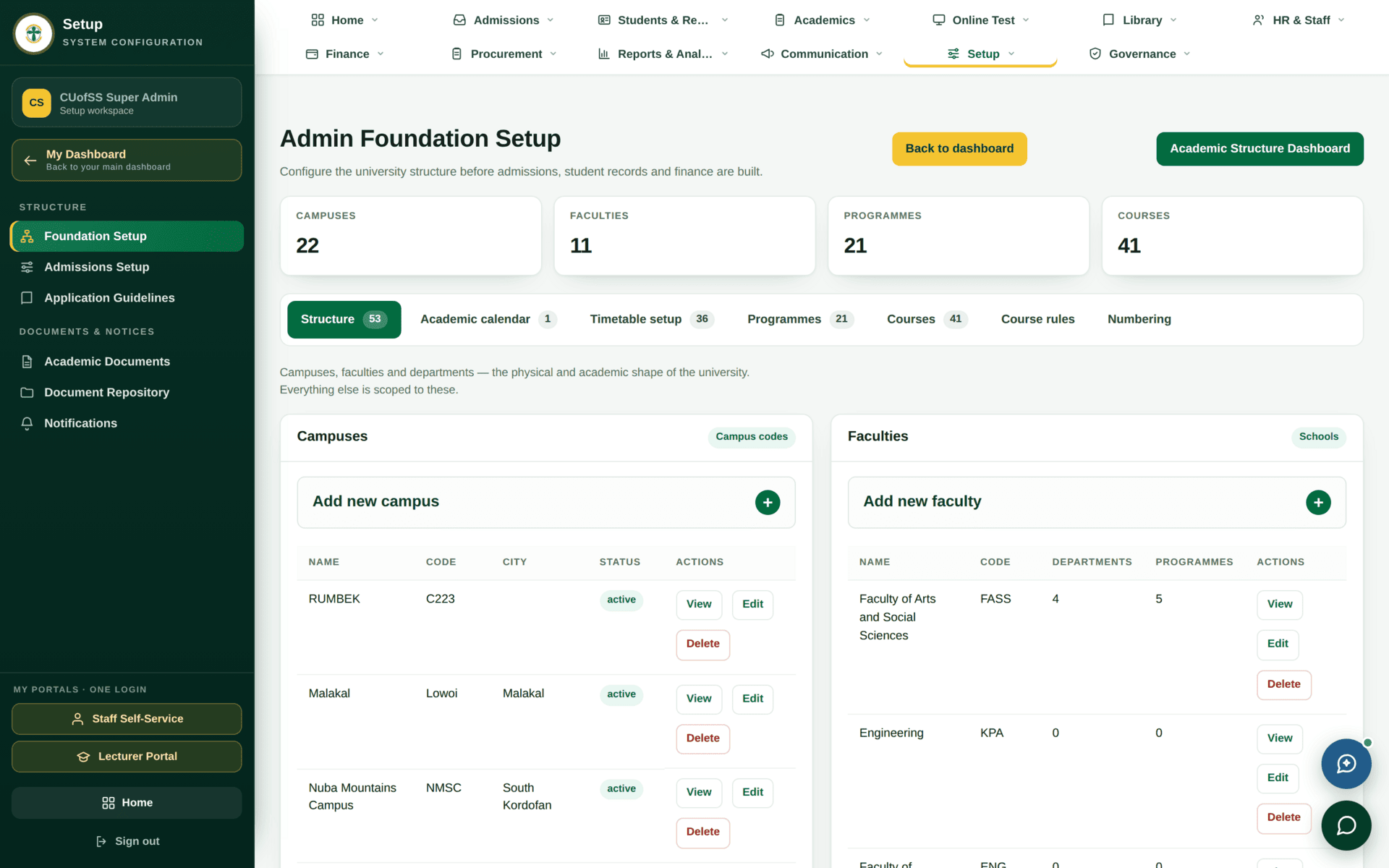
admin.foundation.manage.| Create | Because it is needed by |
|---|---|
| Campuses | Everything — scoping, timetables, fee structures, staff numbers |
| Faculties | Deans, programmes, graduation endorsement |
| Departments | HODs, staff profiles, courses |
| Programmes | Applications, curriculum versions, fee structures |
| Academic years & terms | Registration windows, timetables, examinations, finance periods |
| Course master data | Curriculum |
Programme codes, campus codes and course codes appear inside student numbers, staff numbers, timetable version references and document references. Renaming one does not retrospectively change the references already issued, so you end up with records that point at a code that no longer exists. If a code is wrong, fix it before the first record is created against it — and if that moment has passed, treat renaming as a project, not an edit.
The rest of Setup
Opening a new academic year
| 1 | Foundation Setup → academic year 2027/2028 |
| 2 | Its terms, with real dates: Sep-Dec 2027, Jan-Apr 2028. Many screens default to the latest term, so creating a future term changes what colleagues see by default — warn them |
| 3 | Curriculum versions for any intake starting that year |
| 4 | Fee structures for the new intake, priced per year and semester |
| 5 | Admission cycle, window and application fee |
| 6 | Registration windows — created as Draft, opened when you are ready |
| 7 | Timetable days and period grids for each campus and term — without these the Timetable Builder's dropdowns are empty |
| 8 | An open financial year and period |
| 9 | Check the Command Center readiness view before the first applicant arrives |
Symptoms that lead back here
| Reported as | Actually |
|---|---|
| “The programme dropdown is empty” | No programmes for that campus or level |
| “The timetable builder has no days” | No teaching days for that campus and term |
| “It says No configured period” | No period grid for that campus and term |
| “Students can't register” | No term, or no registration window for it |
| “Nobody is being billed” | No fee structure matching the intake dimensions |
| “A Dean sees nothing” | No faculty on their user record |
| “Every dashboard reads zero” | A future term exists and screens default to it |
When someone reports an empty dropdown anywhere in the system, ask two questions before anything else: which campus and which term. That resolves most of them without opening a single screen.