Examinations & results
Examinations are governed by two things: who is eligible to sit, and what happens to a mark after a lecturer submits it. Both are visible on one dashboard — provided you set its filters, because it opens on a term that is usually empty.
Running an examination cycle from eligibility to released results.
Exams OfficerHODDeanRegistrarSenate
- Assessment structures for each course
- Verified registrations
- Attendance recorded
- Finance clearance decisions
Approved result batches, released to students and available for transcripts.
The Examination Dashboard
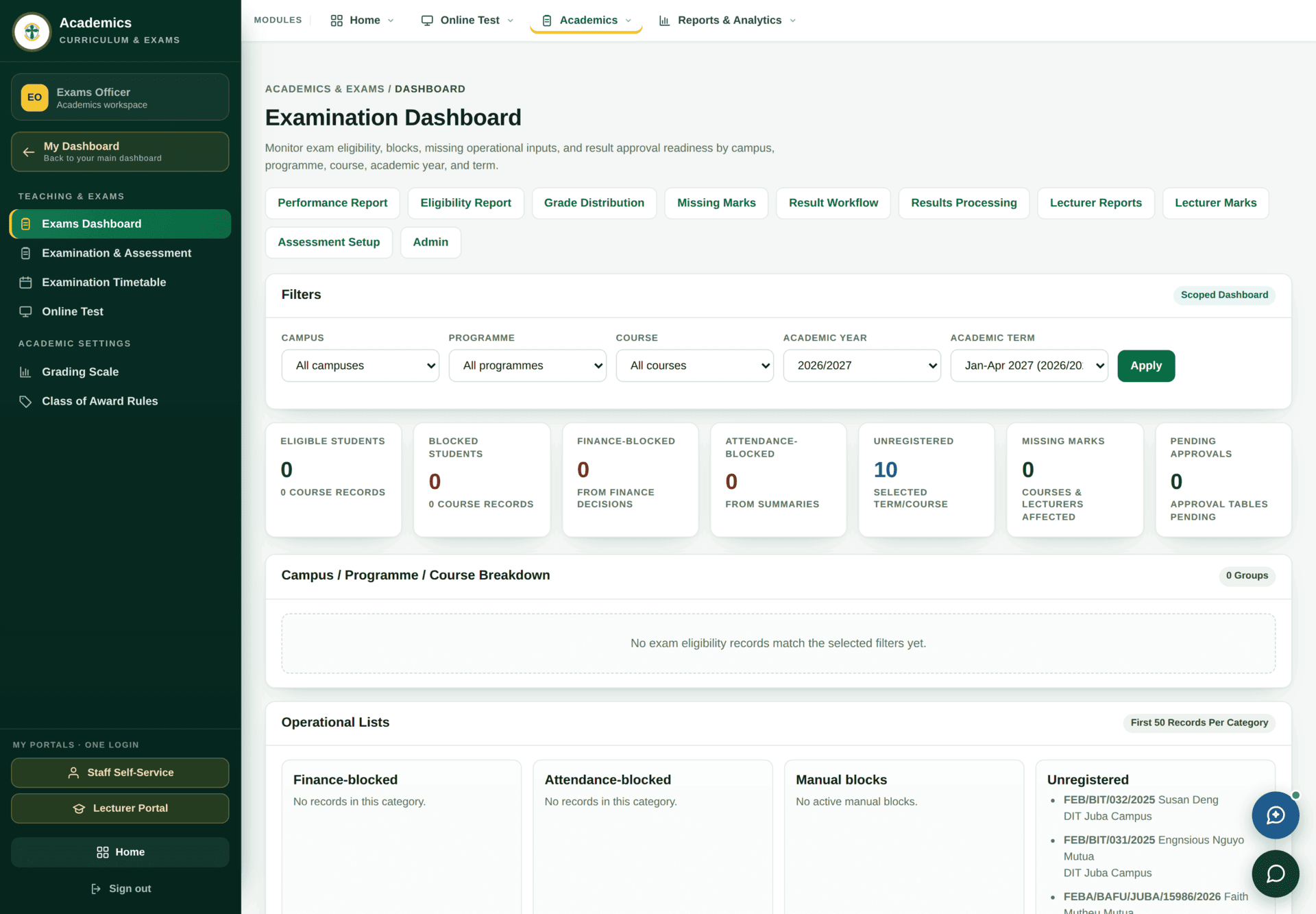
0 — not because
nothing is happening, but because the term filter has opened on
Jan-Apr 2027, a term with no records yet.The dashboard opens on the latest academic term, which is normally a future one that has not started. Every count then reads zero and the breakdown says “No exam eligibility records match the selected filters yet.” This looks exactly like a broken system and is not one. Change Academic term to the term you are examining and press Apply first, every time.
| Tile | What it counts | Who clears it |
|---|---|---|
| Eligible students | Cleared to sit | — |
| Blocked students | Blocked for any reason | See the three tiles that follow |
| Finance-blocked | Blocked by a finance clearance decision | Finance — Student finance |
| Attendance-blocked | Below the attendance threshold | The lecturer's registers — Attendance |
| Unregistered | Sitting a course they never registered for | Registry — Semester registration |
| Missing marks | Courses and lecturers with marks outstanding | The lecturer |
| Pending approvals | Approval tables waiting for a signature | Whoever is next in the chain |
Below the tiles, Operational Lists names the actual students in each category — finance-blocked, attendance-blocked, manual blocks and unregistered — so the tiles are not just numbers to worry about but lists to work.
Assessment structures
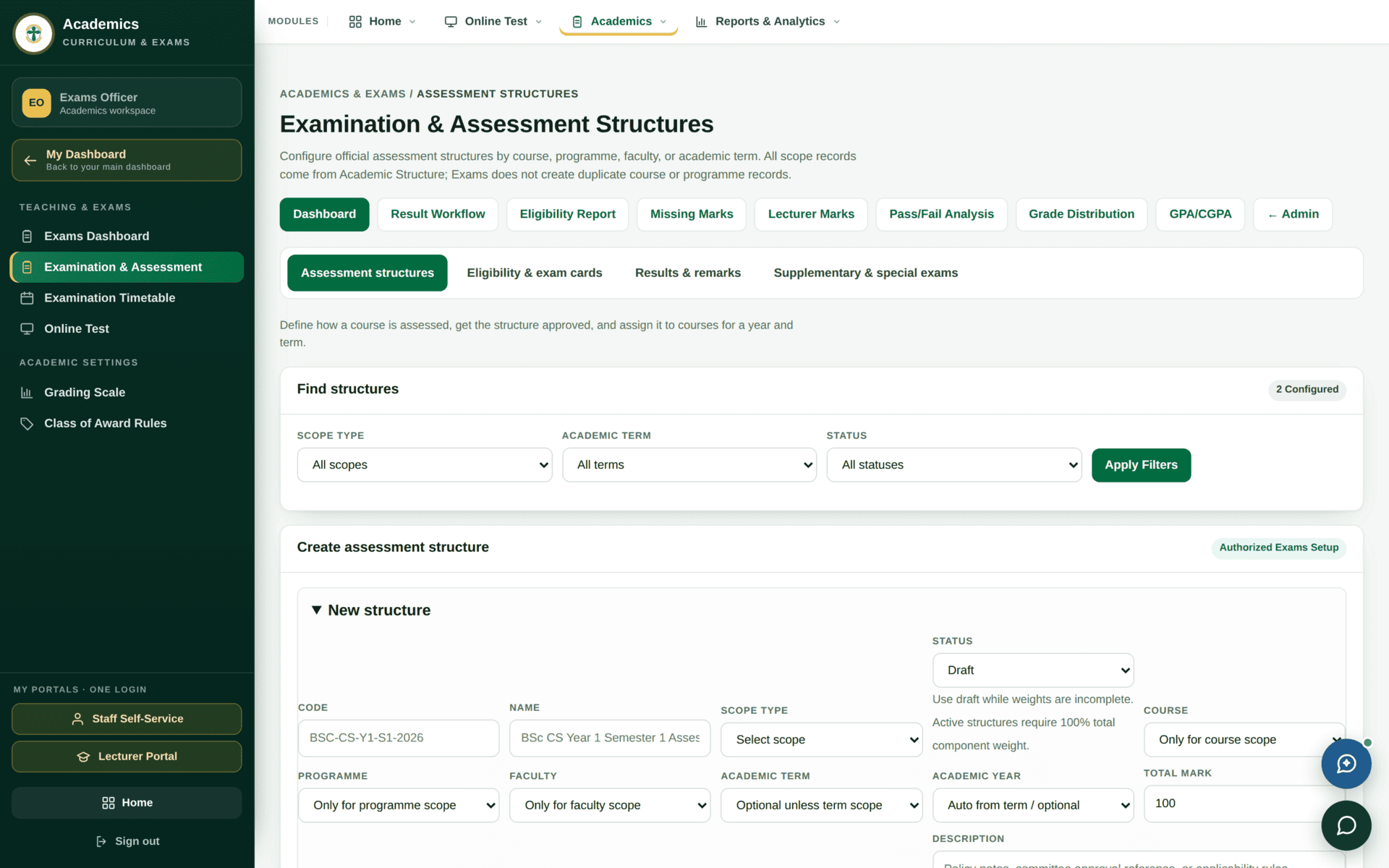
The standard structure is CAT — 30%, Exam — 70%. There is one CAT, not two. A course without a structure gives its lecturer nothing to enter marks into, so this is the first thing to check when a lecturer reports an empty marks screen.
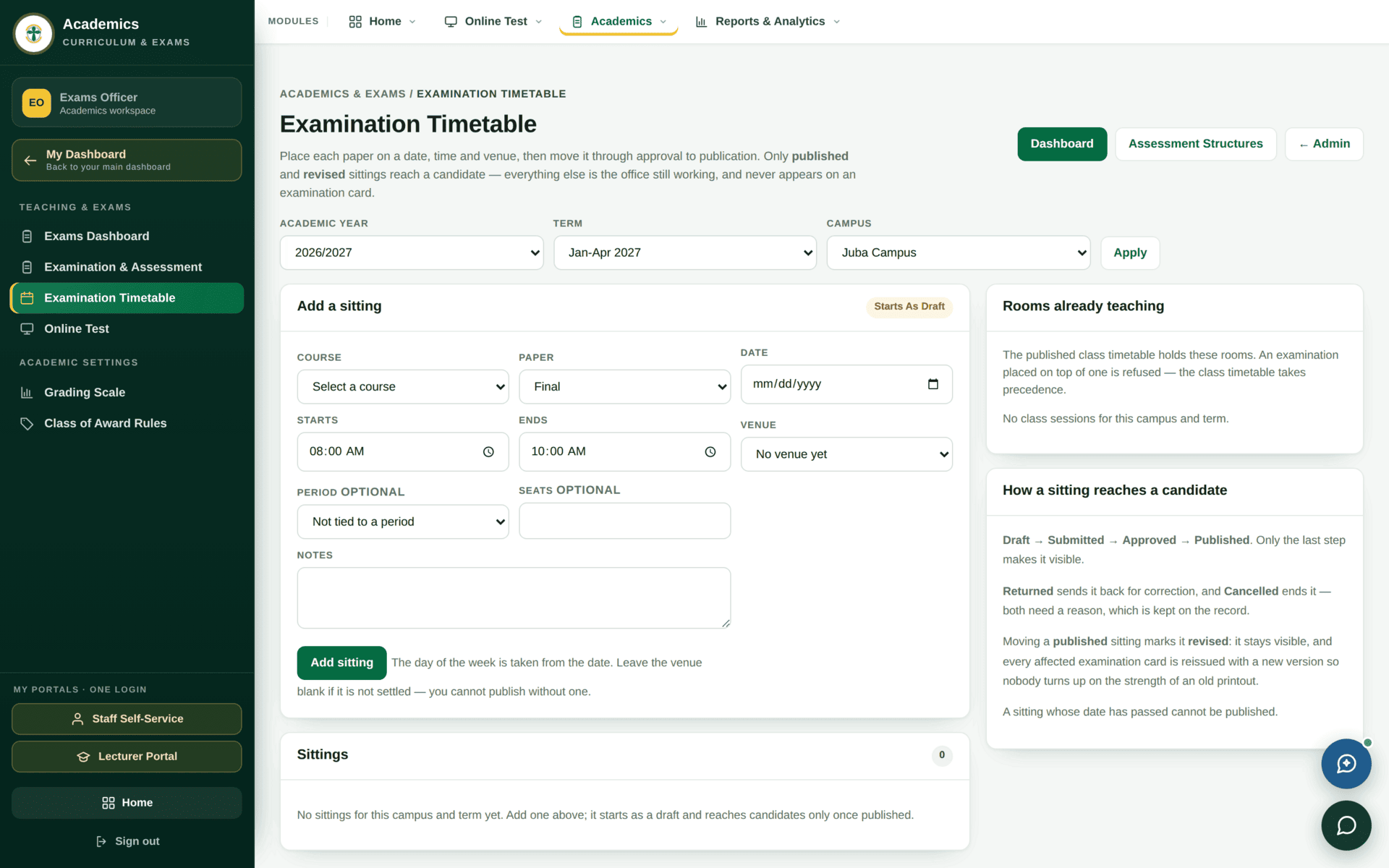
Like the dashboard, this screen opens on the most recent academic year it can find. If it looks empty, change the year before concluding nothing is scheduled.
From a submitted mark to a released result
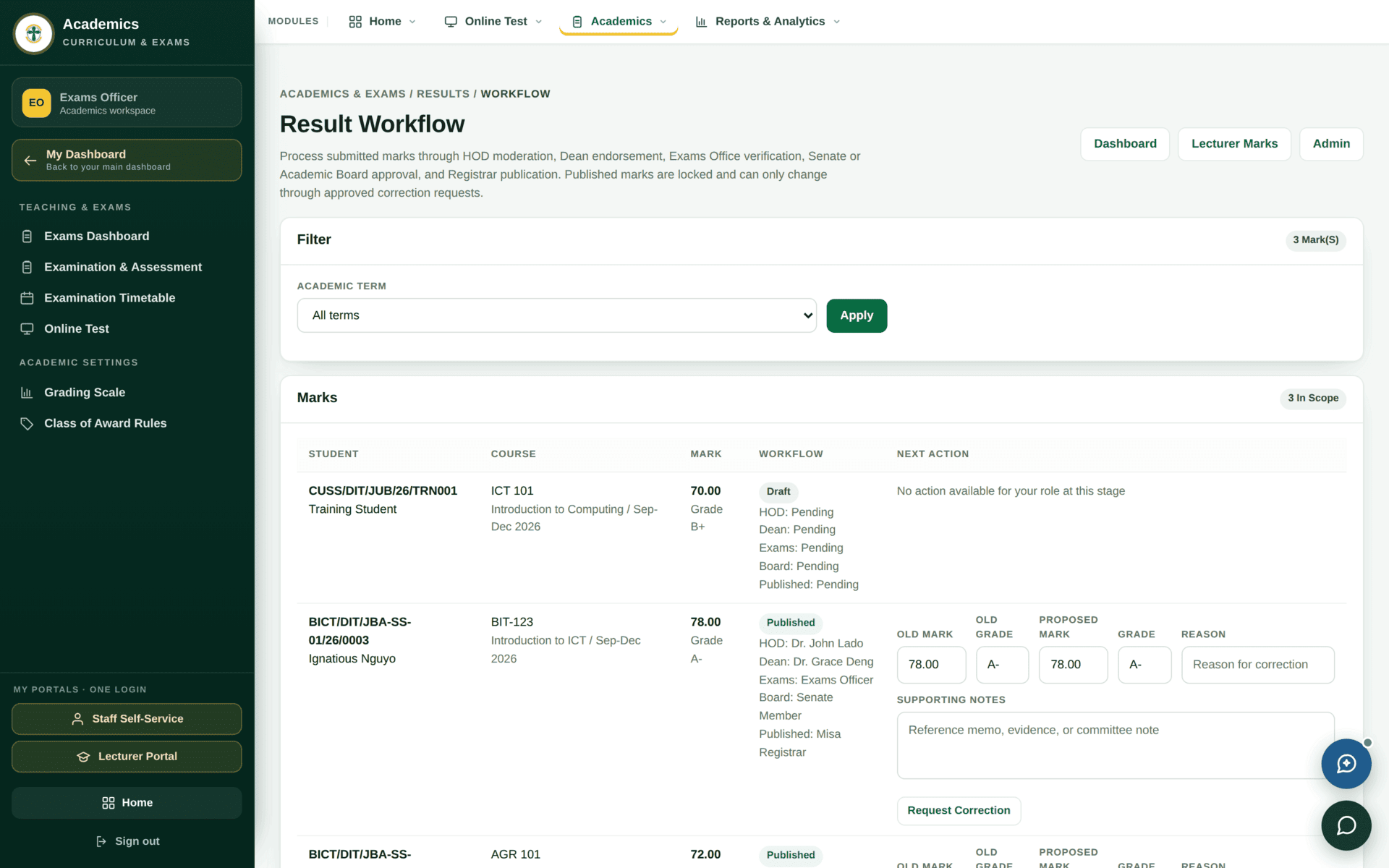
Closing the Sep–Dec 2026 examination cycle
| 1. Set the filters | Exams Dashboard → Academic year 2026/2027, Academic term Sep-Dec 2026 → Apply. Nothing below is meaningful until you do |
| 2. Clear the blocks | Work the three block tiles. Finance-blocked go to Finance, attendance-blocked to the lecturer, unregistered to Registry. Each has a named list under Operational Lists |
| 3. Chase missing marks | Missing Marks report — it names the course and the lecturer. Send it to HODs, not to individuals |
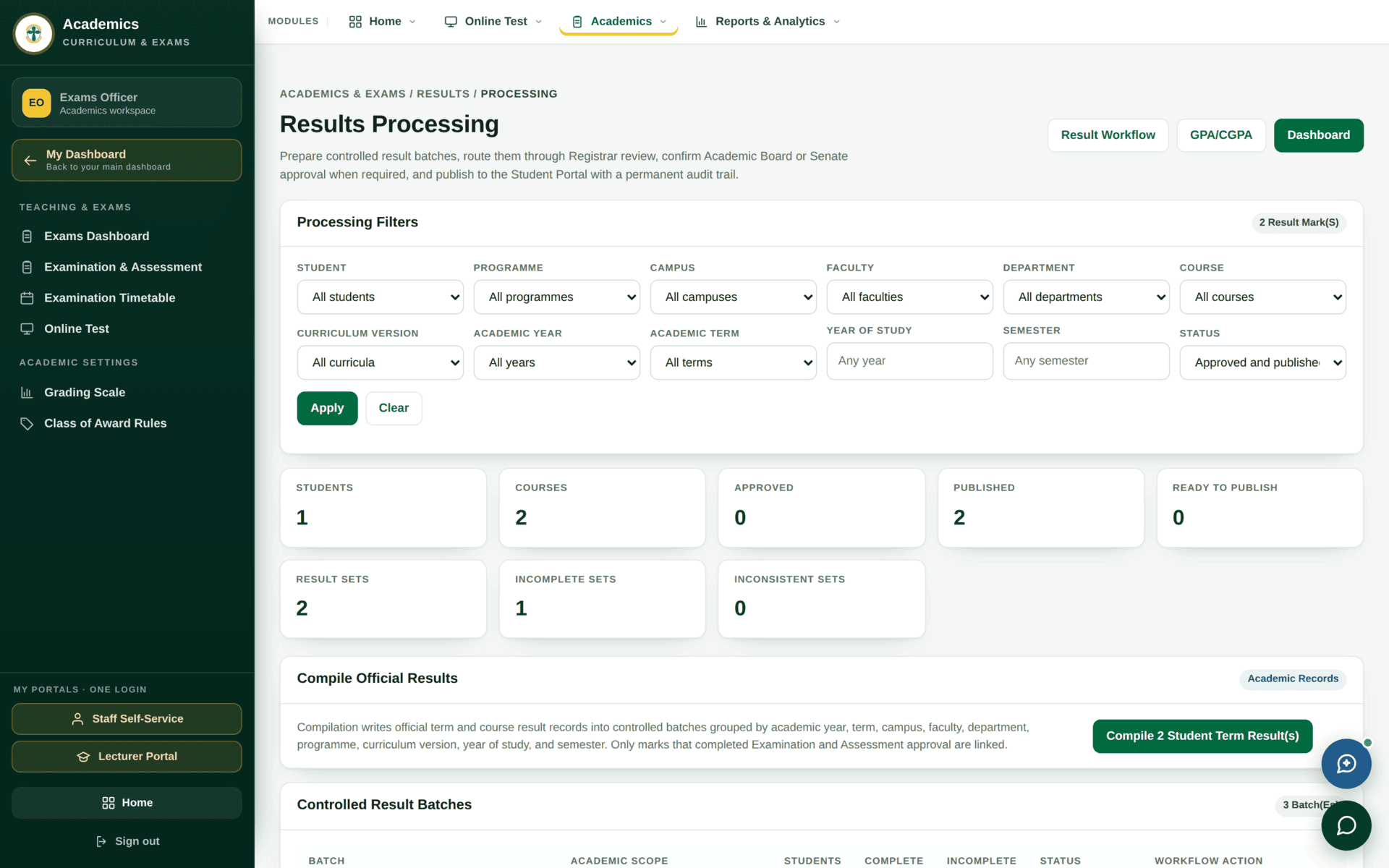
| 4. Process | Results Processing — compute grades, GPA and CGPA for the term |
| 5. Check before approving | Grade Distribution and Pass / Fail Analysis. A course where everyone scored above 80, or below 40, is worth a conversation before it is approved, not after |
| 6. Approve | Result Workflow — the batch climbs the chain to the Board and Senate |
| 7. Release | Only after approval. Releasing is the separate act that makes results visible in the student portal |
| 8. Verify | Open a student's Results page. If it is blank, the batch was approved but not released |
The reports, and what each is for
| Report | Use it to |
|---|---|
| Exam Eligibility | Prove who may sit, before the hall opens |
| Missing Marks | Chase lecturers by course, with names attached |
| GPA / CGPA | Check computation before results are approved |
| Grade Distribution | Spot a course marked too hard or too soft |
| Pass / Fail Analysis | Report to the Board |
| Academic Performance | Longitudinal performance by programme |
| Lecturer Workload | Teaching and marking load per lecturer |
| Lecturer Marks Submission | Who has submitted and who has not |
| Unregistered Students | People sitting courses they are not registered for |
Examination documents carry signature blocks for the Senate, the Academic Board, the Exams Officer and Registry. Where a named signatory has not been configured, the block prints as a placeholder. Check a printed proof before a whole batch is issued.
If something looks wrong
| Symptom | Cause | Fix |
|---|---|---|
| Every tile reads zero | The dashboard opened on a future, empty term | Change Academic term, press Apply. This is the single most common report against this screen |
| A lecturer has no marks screen | No assessment structure for that course and term | Examination & Assessment |
| A student is blocked and nobody knows why | Three different blocks look identical from outside | The three block tiles separate them: finance, attendance, manual |
| Results approved but students see nothing | Approval and release are separate acts | Release the batch |
| Two roles disagree about who can do a step | Exams permissions overlap between Exams Officer, HOD and Registrar | The record's own chain names the step owner — trust it over custom |
| The examination timetable looks empty | It defaulted to the latest academic year | Change the year |