Governance & access
Governance is where access is decided and where it is later explained. Granting is easy; explaining is what these screens exist for, which is why every grant should be specific enough to justify itself a year later.
Managing who can do what, and evidencing it.
Super AdminICT AdminInternal Auditor
- Roles defined
- Staff records for the people being granted access
Accounts with the access they need and an audit trail that explains it.
Users and roles
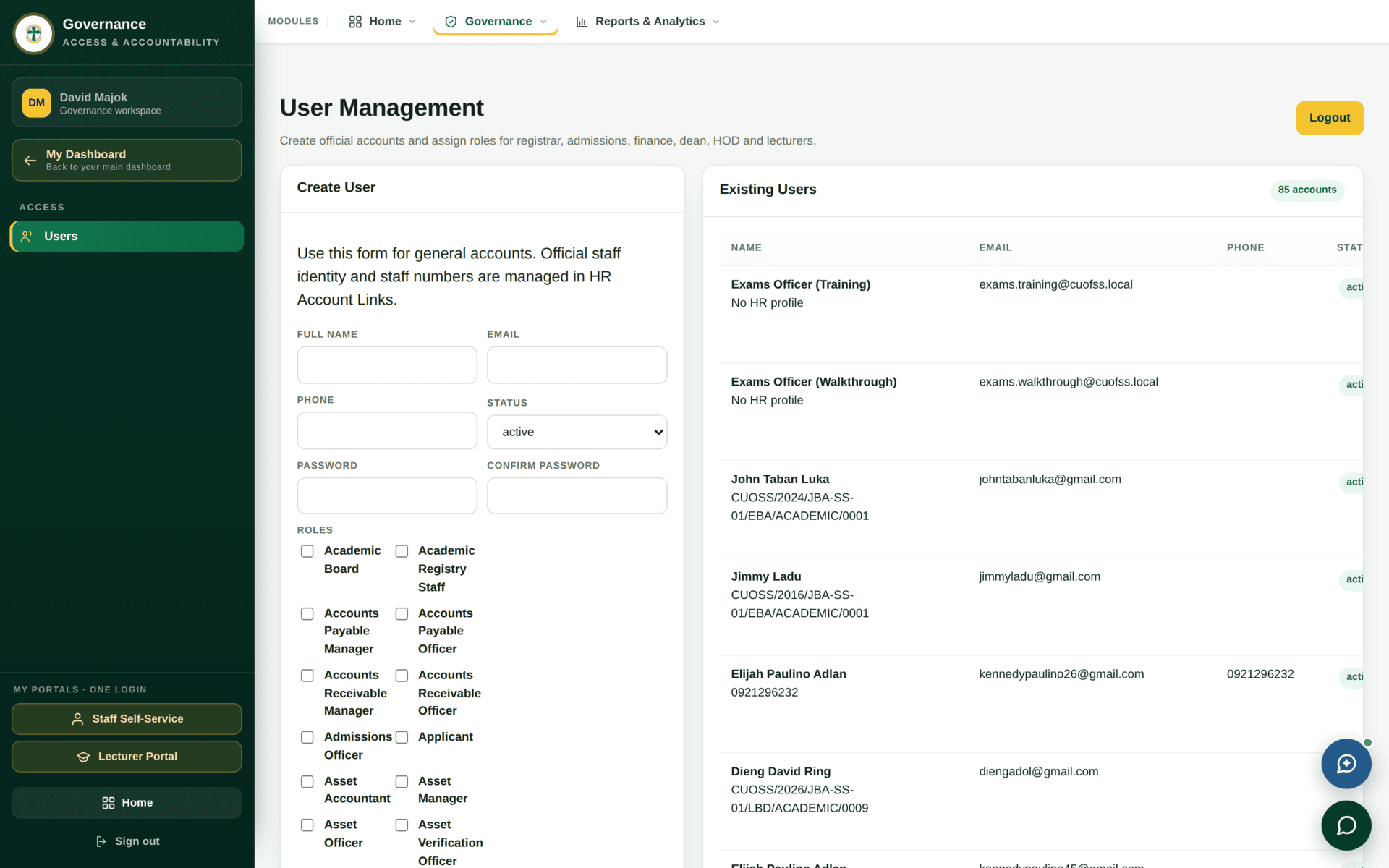
users.manage. One row per account, with the roles it holds.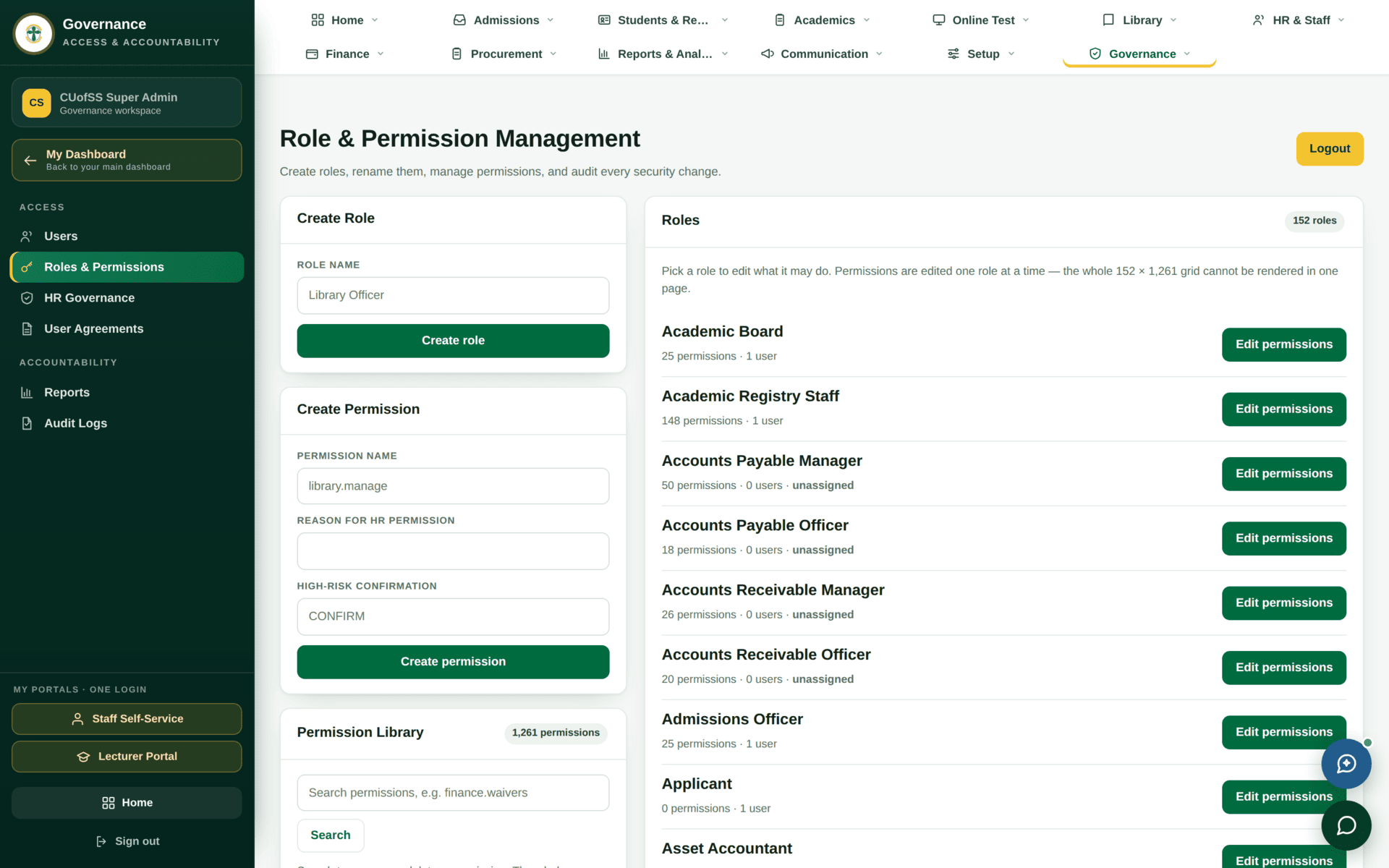
roles.manage. This is the
authoritative answer to “what can this role do?” — 152 roles drawing on 1,261
permissions.When someone needs one extra ability, attaching a whole additional role gives them dozens of abilities nobody asked for, and the audit trail then cannot say why. Add the single named permission instead. See Roles and what they unlock for how to ask for one properly.
And do not attach Super Admin as a shortcut. It bypasses every check in the system, including scope limits and approval chains, and a tour of the system taken as Super Admin shows a system no real user sees.
Onboarding a new registry officer
| 1. HR first | A staff profile must exist — see HR & staff. Access without an employment record is what audit findings are made of |
| 2. Account | Users → create, with their institutional email. Status active |
| 3. Role | Attach Academic Registry Staff — the existing role, not a new one shaped like it |
| 4. Scope | Set campus, faculty and department on the user record. A role without scope either sees nothing or sees everything; neither is what you meant |
| 5. Extras | Only if genuinely needed, and one at a time, with the reason recorded |
| 6. Verify as them | Ask them to sign in and read their module bar back to you. It is generated from permissions, so it is a reliable check |
| 7. Record | The audit log captures the grant. Note the business reason in the ticket that requested it |
Audit
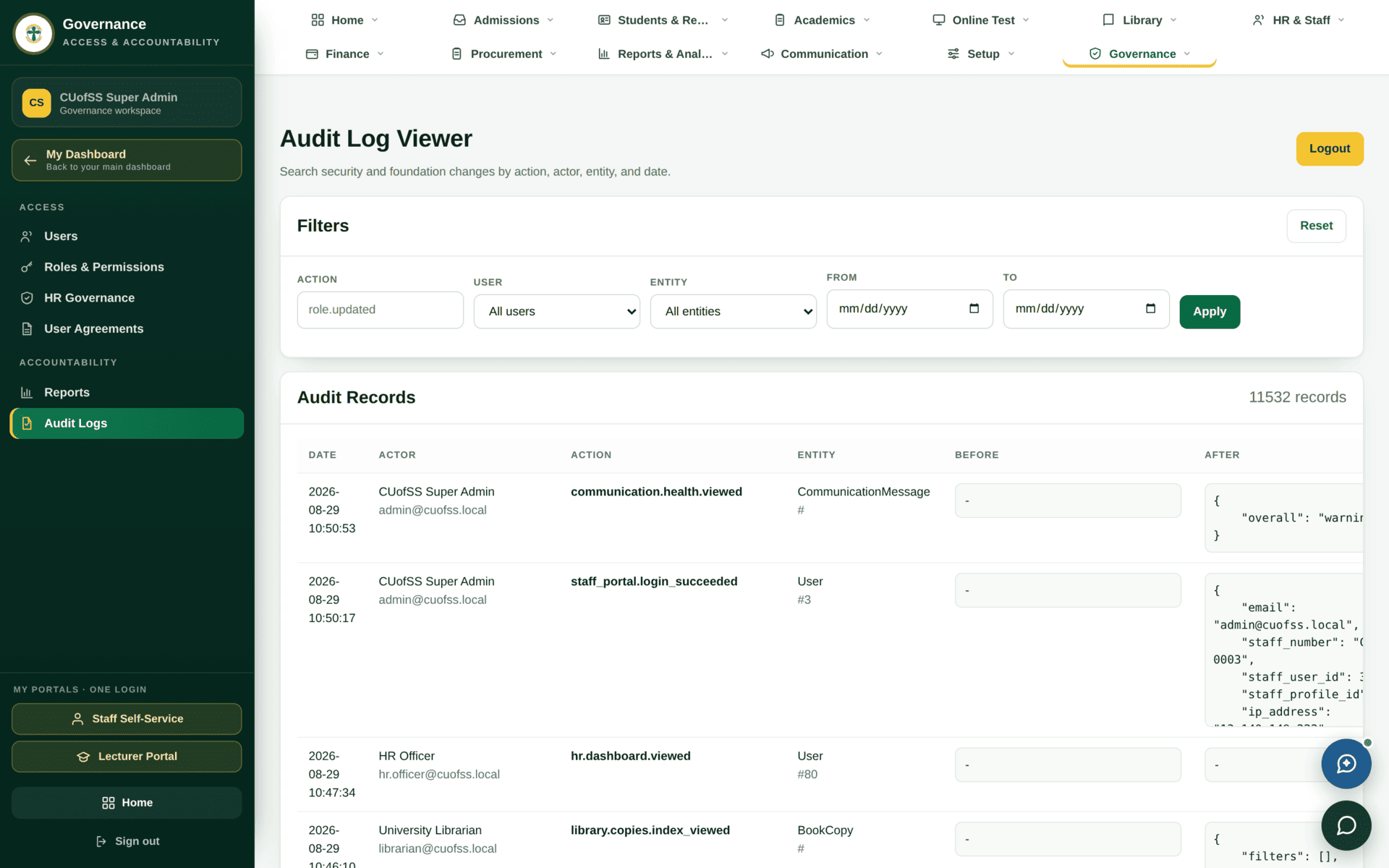
audit.view. Who did what, to what, and
when.- Records are not deleted anywhere in this system — they change status. The audit log is what makes that useful, because it shows the sequence.
- This is why accounts must not be shared. A shared account makes every entry in this log unattributable, which removes the protection the log gives the person who did the work correctly.
- When a dispute arises about a mark, a payment or a standing, the audit log and the relevant module's own status history are the two places to look.
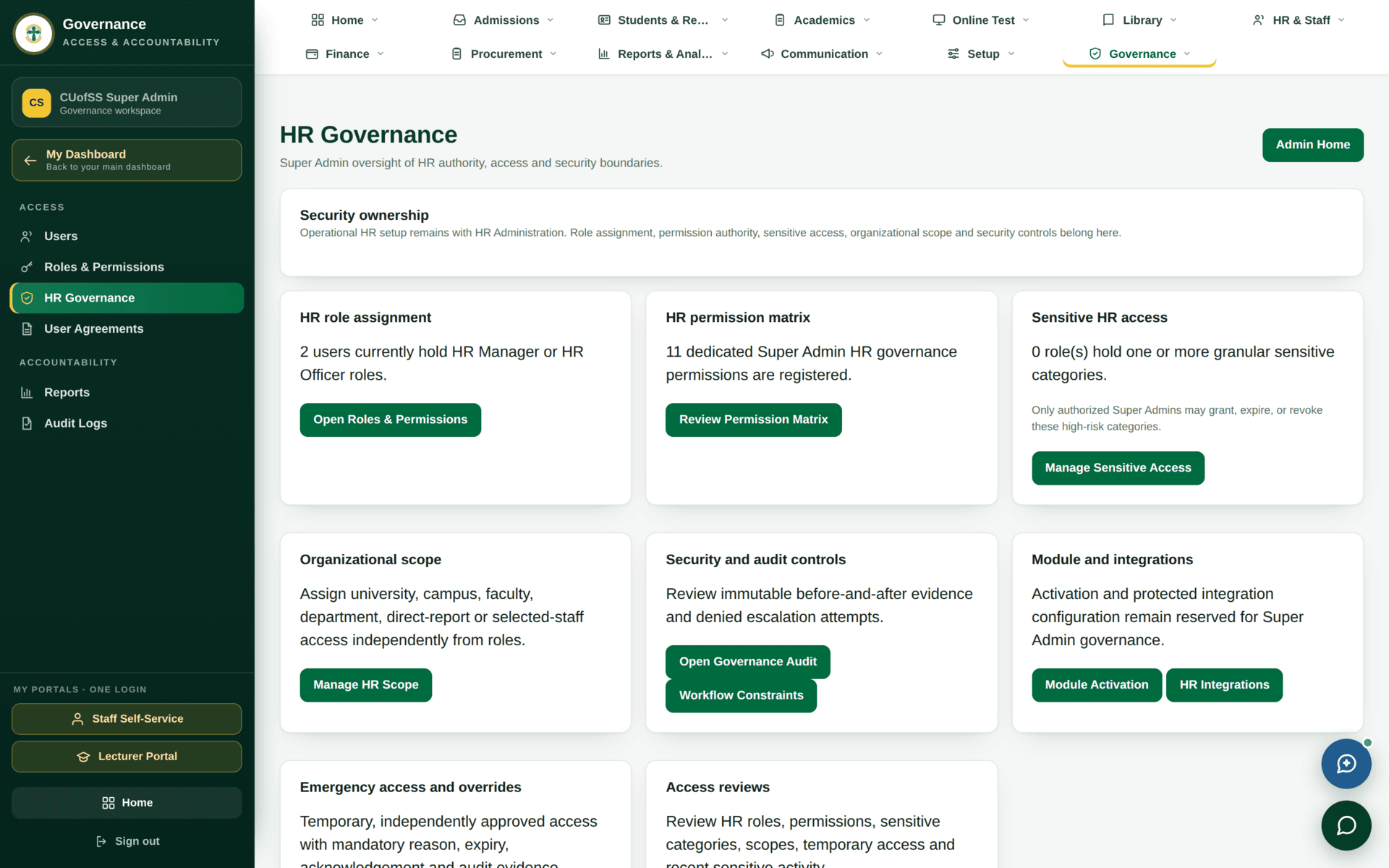
Salary and disciplinary information is not protected by a role but by a grant to a named person. HR Governance is where those grants are reviewed. Run an access review on a schedule rather than when someone asks — a grant made for one task in March is still live in December unless somebody looks.
Access hygiene
| Do this | Because |
|---|---|
| Deactivate accounts at separation, the same day | An active account for someone who has left is the classic audit finding |
| Review contract expiries alongside accounts | An expired contract removes access silently; the account may remain |
| Prefer a permission to a role, and a role to Super Admin | Least privilege, and an explainable trail |
| Check for unstaffed roles in approval chains | A workflow whose next step nobody holds simply stops, with no error |
| Never create a near-duplicate role | Two similar roles is how two people end up with different access and nobody can say why |
| Record the reason with the grant | The audit log records the act; only you can record the intent |
Of the 152 roles defined, only about 27 have anyone in them. That is expected during a roll-out, but it means an approval chain can point at a role with no holder, and the record simply waits. When anything has been “pending approval” for weeks, check whether the next role in its chain is staffed before investigating anything else.
Common governance questions
| Question | Where the answer is |
|---|---|
| What can this person do? | Users → their roles, then Roles & Permissions |
| Who changed this record? | Audit Logs, plus the module's own status history |
| Who can see salaries? | HR Governance → sensitive access. Not answerable from roles alone |
| Why is this workflow stuck? | The record names the step; check the role is staffed |
| Why can they see a screen I cannot? | A permission, or wider scope. Compare both |
| Can I have Super Admin? | Ask for the specific permission instead — it will be granted faster |