Attendance
Attendance is recorded against a timetable session, for the students on the official class list. Both of those come from elsewhere, which is why an attendance screen that will not open is almost never an attendance problem.
Recording who attended each class, and reporting on it.
LecturerHODDeanRegistrar
- A published timetable session
- A verified class list
- Holidays configured for the term
Attendance percentages that examination eligibility rules can read.
How attendance hangs together
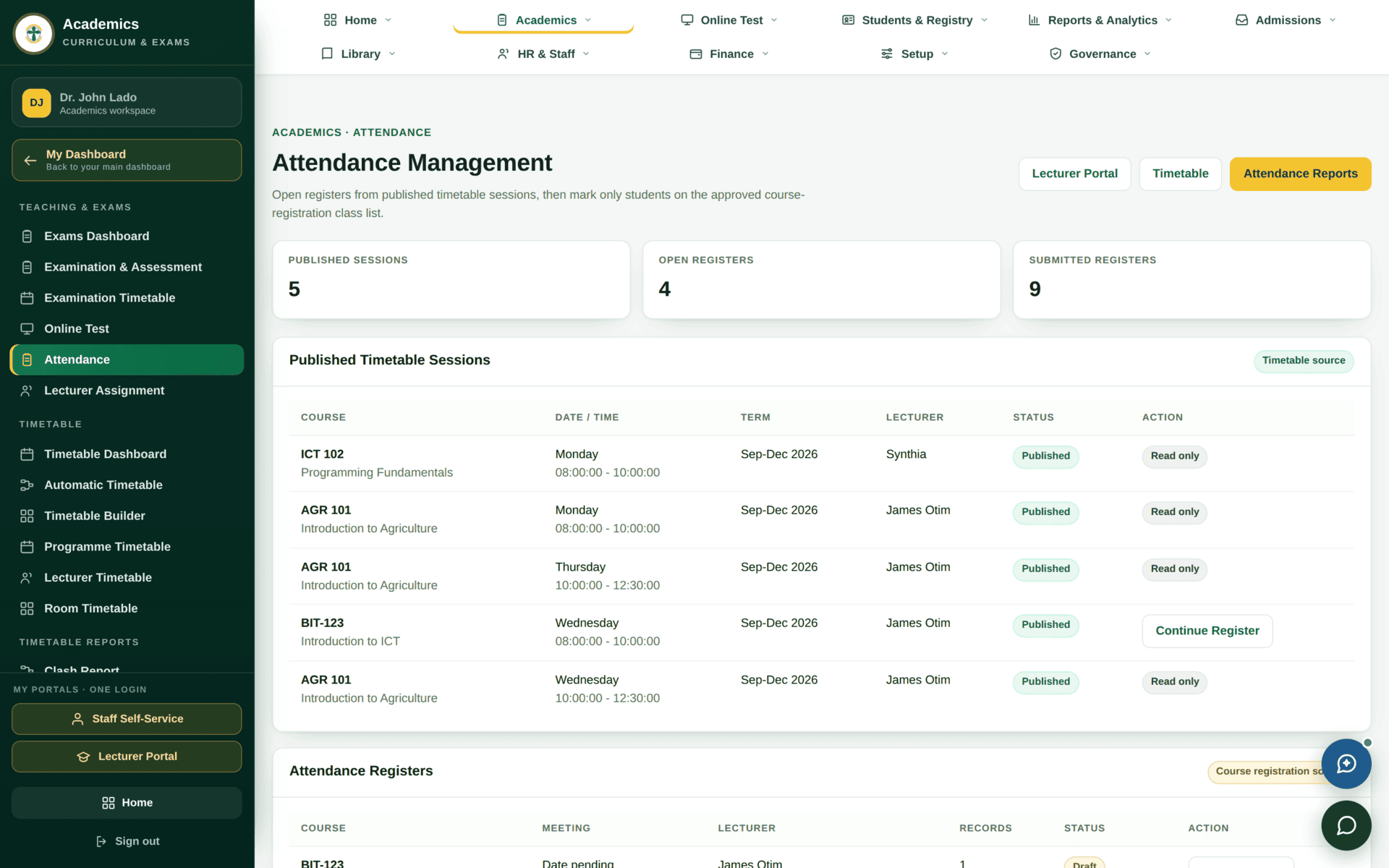
- Pick the course and the session. Sessions come from the published timetable. If the list is empty, the timetable for that term is not published — see Timetable.
- The register loads with the class list. These are the students with verified registrations, in the same order every week.
- Mark each student. Present, absent, or excused, depending on how your institution has configured the statuses.
- Save. The record is stamped with who took it and when.
Terms have configured holidays. A session that falls on one should not be registered as a mass absence — check the term calendar before chasing a week of zero attendance. If holidays are not configured for the term, attendance percentages will read low for reasons that have nothing to do with students.
Why it matters downstream
Attendance is not kept for its own sake. Two things read it:
- Examination eligibility. A student below the attendance threshold can be made ineligible to sit — see Examinations & results. That decision is only as fair as the registers behind it.
- Teaching & attendance analytics. Reported at faculty and institutional level in Reports & analytics.
Because eligibility can turn on the percentage, a register reconstructed from memory in week twelve is a fairness problem, not an administrative one. Take it in the session, save it in the session.
A lecturer's weekly routine
| Before class | Lecturer portal → Class Lists — export the PDF if the room has no reliable internet |
| In class | Attendance → choose today's session → mark the register → save |
| A student not on the list | They are not registered. Note the name and send them to Registry the same day — do not mark them present into a gap |
| Missed taking it | Open the session later and complete it. It is stamped with the time you actually recorded it, which is the honest record |
| End of term | Check each course's attendance report before eligibility is computed, so disputes are settled before the examination, not after |
If attendance will not work
| Symptom | Cause | Fix |
|---|---|---|
| No sessions to choose | The timetable for this term is not published | Registry publishes it |
| The register is empty | No verified registrations for the course | Registry verifies the registrations |
| Saving fails with a validation message rather than moving on | The form was submitted with something the rules reject | Read the message on the page — it names the field. Do not resubmit unchanged |
| Attendance percentages look too low across a whole class | Holidays not configured, so non-teaching days count as sessions | Registry, in the term calendar |
| You cannot see another lecturer's register | Scope — you see your own assignments | The HOD sees the department's |