Clearance
A clearance case asks five offices the same question — does this student owe you anything? Each office answers for itself, every answer syncs back to the student record, and finance's answer is not entered by hand at all.
What it is for
Confirming a student owes nothing before graduation, transfer or exit.
Who can do it
LibrarianDean of StudentsFinanceHODRegistrar
Needed first
- A student record
- Finance clearance decisions
- Library loans and fines settled
Where it ends
A cleared case, which graduation reads before conferring an award.
The five offices
| Office | Is checking | Where the answer comes from |
|---|---|---|
| Library | Loans returned, fines settled | Entered by the Librarian — Library |
| Dean of Students | Conduct, hostel, student welfare liabilities | Entered by the Dean of Students |
| Finance | Fees | Derived from the finance clearance decision — not typed here |
| HOD | Departmental property, projects, laboratory items | Entered by the HOD |
| Academic Registrar | Academic record complete and correct | Entered by Registry |
Do not try to clear finance from this screen
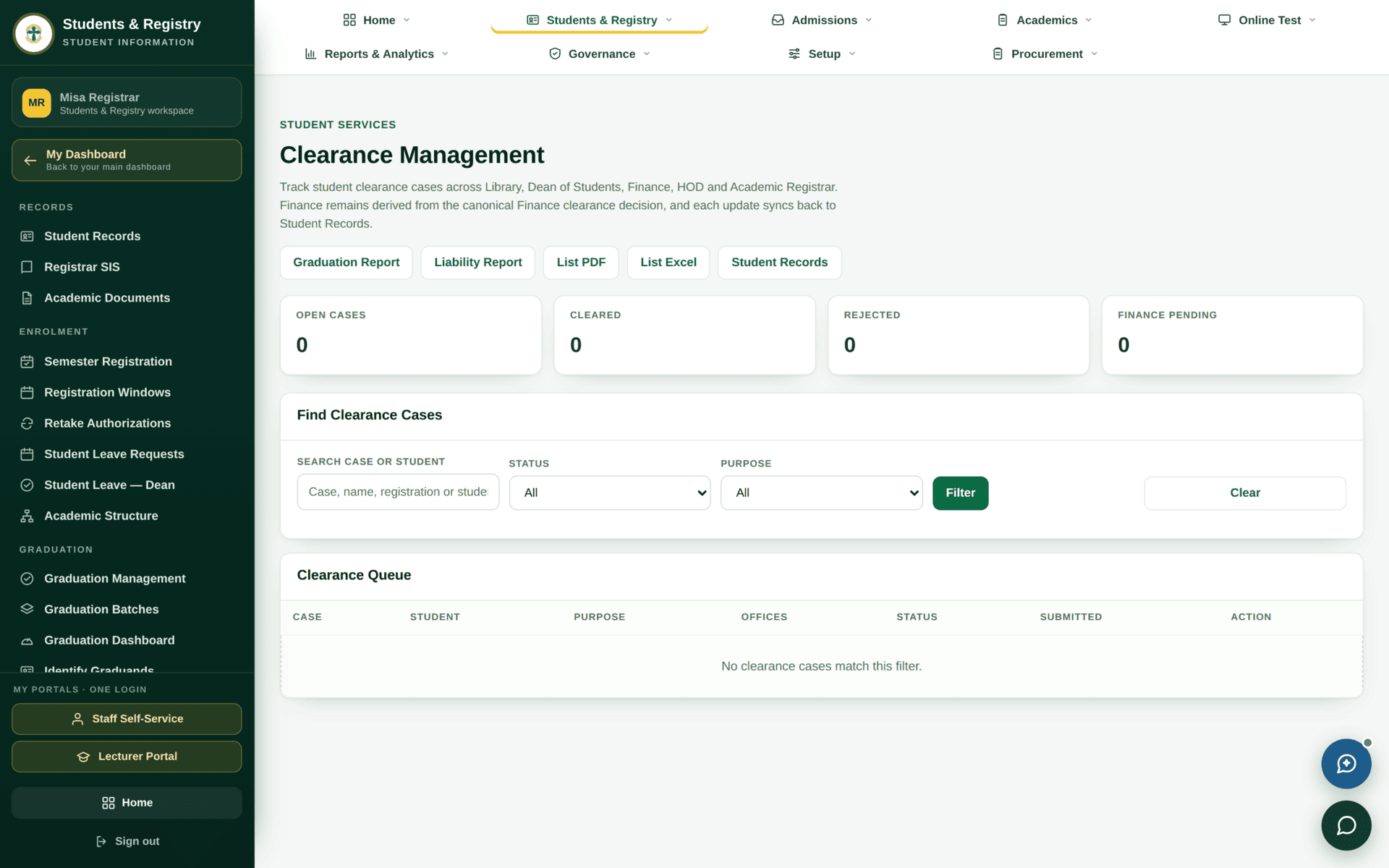
Finance's answer is derived. If a case shows Finance pending, the fix is in Student finance — settle the balance, record a waiver, or make the clearance decision there. Nothing typed on the clearance screen will change it, and the tile Finance pending exists precisely so you can see how many cases are waiting on that other office.
Working a case
Case opened→
Five offices decide→
Any rejection returns it→
Cleared
- Find the case. Find Clearance Cases searches by case, name, registration or student number, and filters by status and purpose. Clearance has a purpose — graduation is the common one, but transfer and exit also raise cases.
- Read the offices column. The queue shows which offices have answered.
- Record your office's decision with a reason. A rejection without a reason is useless to the student and to the next office.
- It syncs back. Each update writes to the student record, so Graduation and the student portal both see the change without anybody re-entering it.
Worked example
Clearing a cohort for graduation
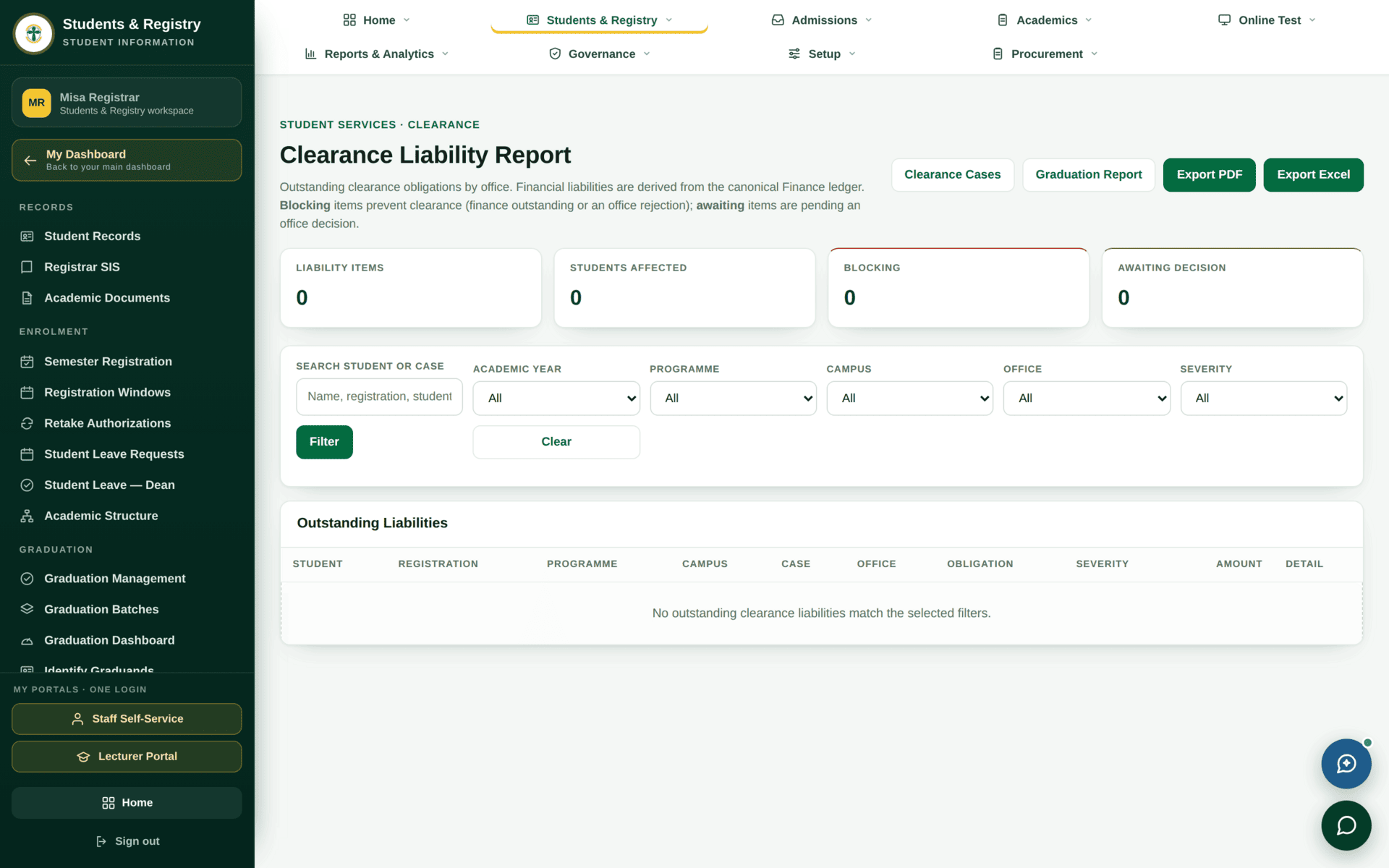
| 1 | Liability Report — the whole cohort's outstanding items in one list, by office |
| 2 | Send each office its own section. The Librarian works loans and fines; the HOD works departmental property |
| 3 | Finance is different: give them the Debtors report, not the clearance queue |
| 4 | Watch the four tiles: Open cases falling, Cleared rising, Finance pending as the separate track it is |
| 5 | Chase Rejected individually — each has a reason recorded, and most are fixable |
| 6 | Export with List PDF or List Excel for the graduation file |
| 7 | Only then confirm the graduation batch — see Graduation |
If clearance sticks
| Symptom | Cause | Fix |
|---|---|---|
| Finance will not clear | Its answer is derived from the finance decision | Settle or waive in Student finance |
| You cannot record a decision | That office's permission belongs to another role | Each office signs its own step — ask that office |
| The queue is empty and cases exist | The status or purpose filter is narrowing it | Clear, then filter again |
| A cleared student still shows a liability elsewhere | A liability raised after clearance | Liability Report — clearance is a point in time |
| Graduation says not cleared but the case looks cleared | One office has not answered | The offices column on the case |