Student records & registry
The register is the canonical record of every student — one row per person, carrying biodata, programme, campus, sponsorship, academic standing, lifecycle history, documents and an audit trail. Every other module reads it and none of them may contradict it.
Maintaining the official student record and its standing.
RegistrarAcademic Registry StaffDeanHODCampus Director
- An admitted applicant who has accepted their offer
- Programmes, campuses and curriculum versions set up
An active student record with an activated portal login.
The master register
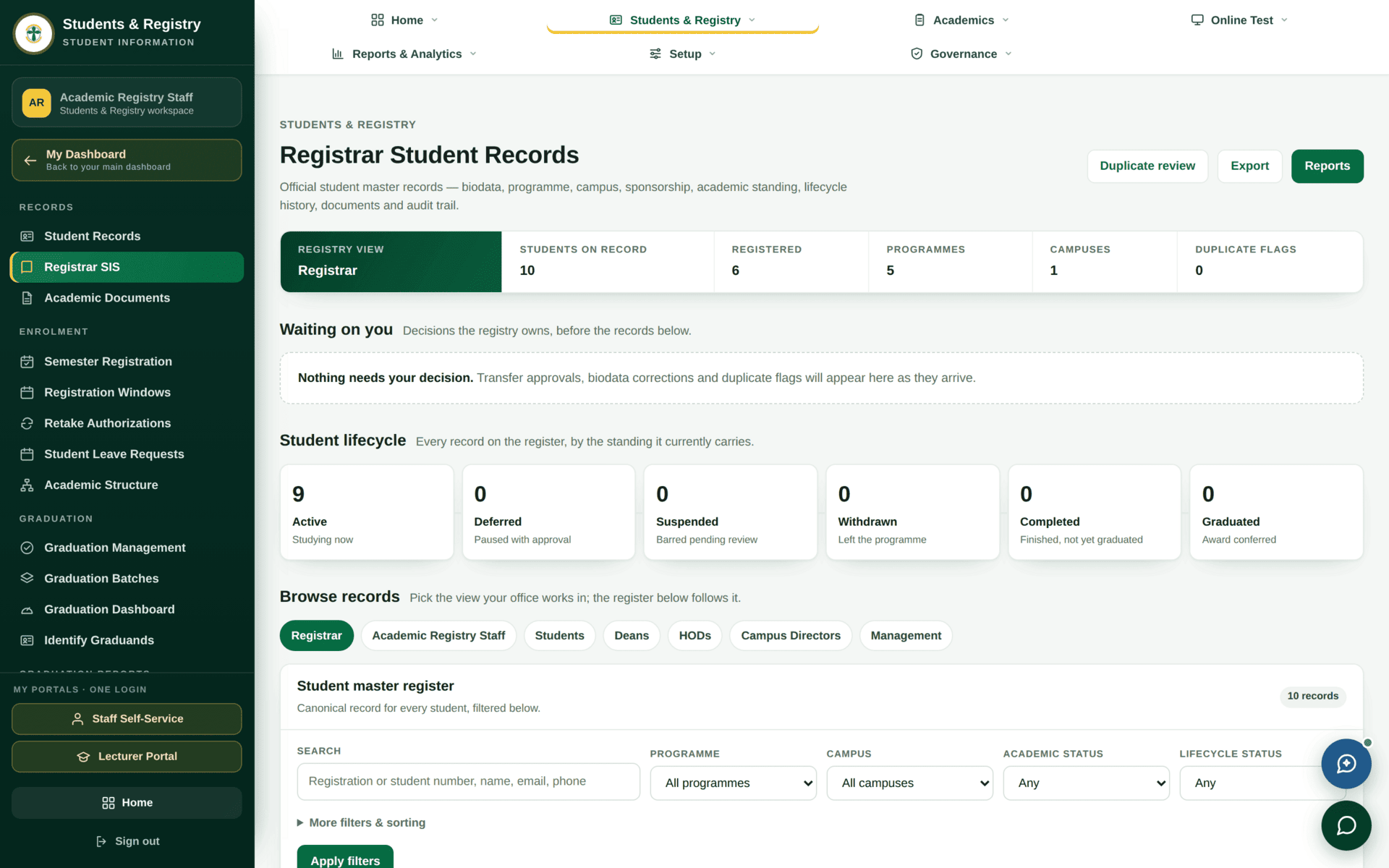
The six lifecycle standings
Every record on the register carries exactly one of these. They are the vocabulary the whole system uses to answer “is this person a student right now?”
| Standing | The screen's own words | What it means in practice |
|---|---|---|
| Active | Studying now | May register, sit assessments, borrow, be timetabled |
| Deferred | Paused with approval | Approved break. Comes back without reapplying — see the deferment rules in Student finance |
| Suspended | Barred pending review | A disciplinary or academic hold. Blocks registration |
| Withdrawn | Left the programme | Ended. Returning means readmission, which is a billable event |
| Completed | Finished, not yet graduated | All requirements met; waiting on clearance and a graduation batch |
| Graduated | Award conferred | Terminal. The record stays for transcripts and verification |
A student can be Active and still not be registered for the current semester — the band shows both numbers separately for that reason (Students on record against Registered). Standing is about their relationship with the university; registration is about this semester.
Role views
The Browse records tabs — Registrar, Academic Registry Staff, Students, Deans, HODs, Campus Directors, Management — change the columns and filters to the ones that office works with. The screen says it plainly: “Pick the view your office works in; the register below follows it.”
This is presentation, not permission. Choosing the Deans view does not give you a Dean's access, and a Dean opening the register still sees only their own faculty, whichever view they pick.
Finding one student
- Use the Search box — it accepts registration number, student number, name, email or phone.
- Narrow with Programme, Campus, Academic status and Lifecycle status.
- Open More filters & sorting for the rest.
- Press Apply filters. Nothing happens until you do.
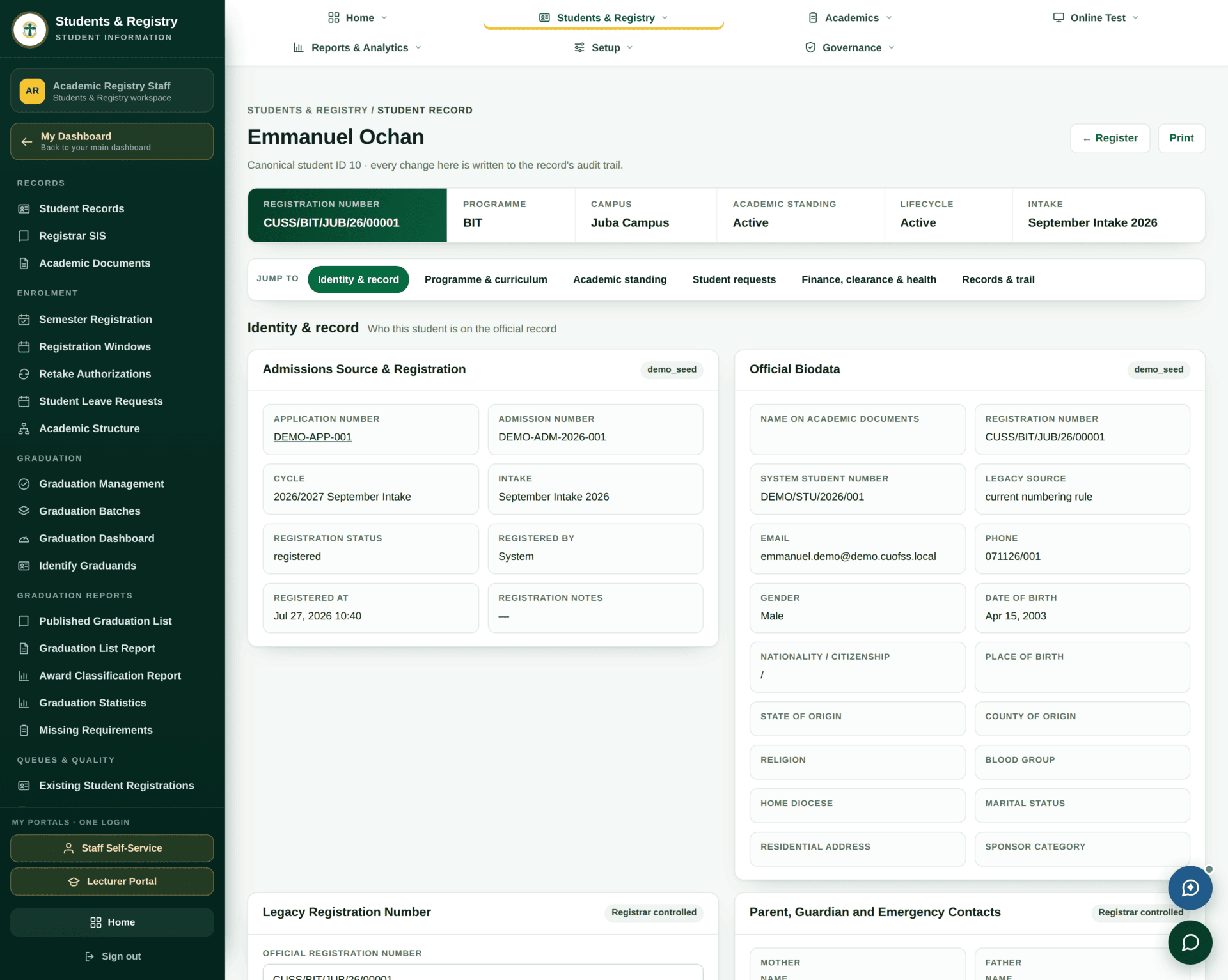
From applicant to student
This is the single most important handover in the system, and it is where records go wrong if it is rushed.
Turning an accepted offer into a usable student record
| Starting point | An application at status offer_accepted in a published batch |
| Check first | The applicant's Full name as on certificate. This becomes the name on the transcript and certificate — correct it now, not after graduation |
| Programme & curriculum | Confirm the programme they were admitted to, and that a curriculum version exists for their entry year. Without one they cannot register for courses |
| Student number | Issued by the numbering rule, in the form CUSS/BIT/JUB/26/00001 — programme, campus, entry year, sequence. Do not hand-type it |
| Standing | Set to Active |
| Portal activation | Activate the portal record and issue the first password. Until this is done the student number is refused at the student portal even though the record exists |
| Duplicate check | Look at Duplicate flags in the band. An applicant who applied twice must not become two students |
| Verify | Sign in is not your job, but the student should reach their portal the same day |
- A wrong certificate name. It propagates to the transcript, the certificate and the verification page. Fixing it after conferment means reissuing documents.
- No curriculum version. The record looks fine until the student tries to register, then the course list is empty and nobody can see why. Check it at creation.
Keeping the register clean
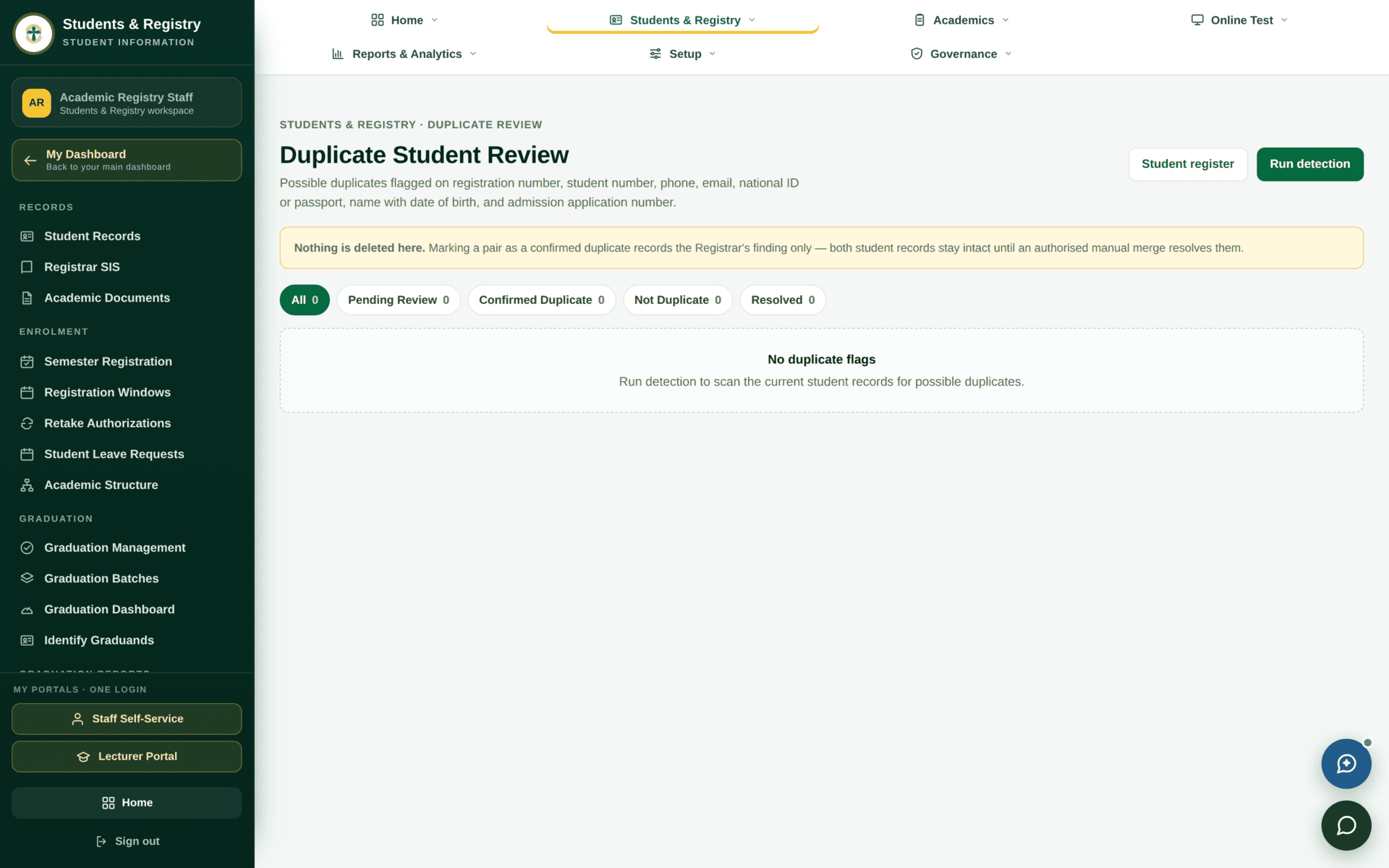
sis.resolve_duplicates. Work this list — a duplicate student is two
fee accounts, two transcripts and two clearance files.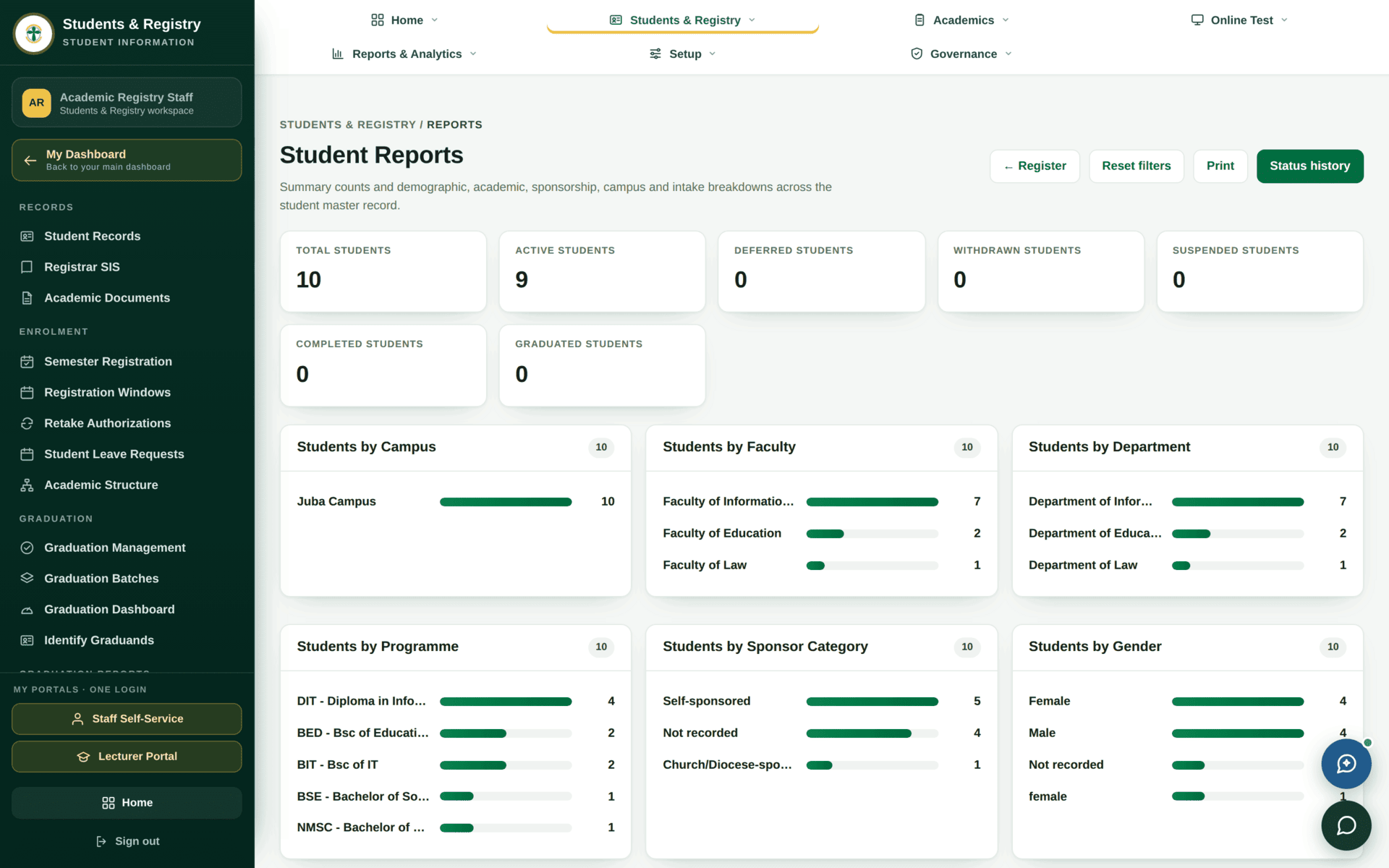
Waiting on you
The registry's own queue sits above the lifecycle tiles: “Transfer approvals, biodata corrections and duplicate flags will appear here as they arrive.” When it is empty, nothing on the register needs a registry decision.
Biodata corrections are a request-and-approve flow rather than a direct edit, and every standing change is written to the status history. If someone asks you to “just change it”, the change will still be attributable — which protects you.
If something will not work
| Symptom | Cause | Fix |
|---|---|---|
| The student number is refused at the student portal | The portal record was never activated | Activate it on the student record; the number alone is not a login |
| The register opens but lists nothing | Scope — you are faculty- or campus-limited | See Roles and what they unlock |
| A student cannot register for courses | No curriculum version for their entry year, or standing is not Active | Check both on the record before looking at the registration module |
| Two records for one person | Duplicate application, or a manual record created alongside an admitted one | Duplicate Review — resolve before either record is billed |
| Export is missing rows you can see | The export follows the filters currently applied | Clear the filters, press Apply, then export |