Student portal
The student portal is the student's own view of their record. It is read-only where the record belongs to an office, and it is a request form where a student needs something changed. Nothing here edits the master register directly.
A student running their own academic and financial affairs.
Students
- A student number
- A portal record activated by Registry
Requests that arrive in the right office's queue, and documents the student can download.
The dashboard
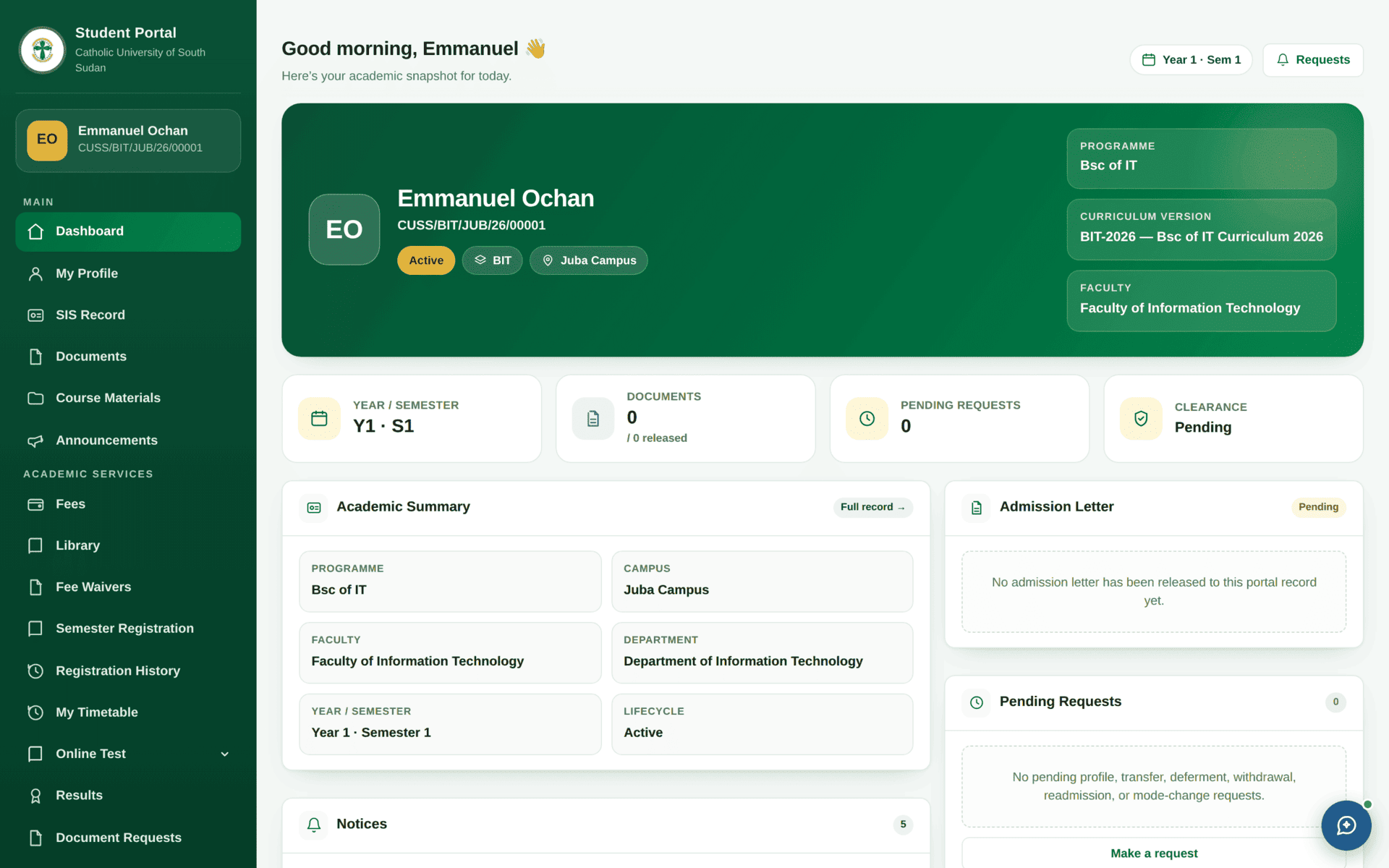
If your name, programme, campus or curriculum version is wrong, say so now — through Make a request — not in your final year. The curriculum version decides which courses you may register for, and your name as recorded here is the name that will be printed on your certificate.
What the four tiles tell you
- Year / Semester — where the university thinks you are in your programme.
- Documents — how many are held, and how many have been released to you. Held is not the same as available.
- Pending requests — anything you have asked for that has not been decided.
- Clearance — your standing across the clearance offices. It says Pending for most of your studies; that is normal.
Fees — reading your own account
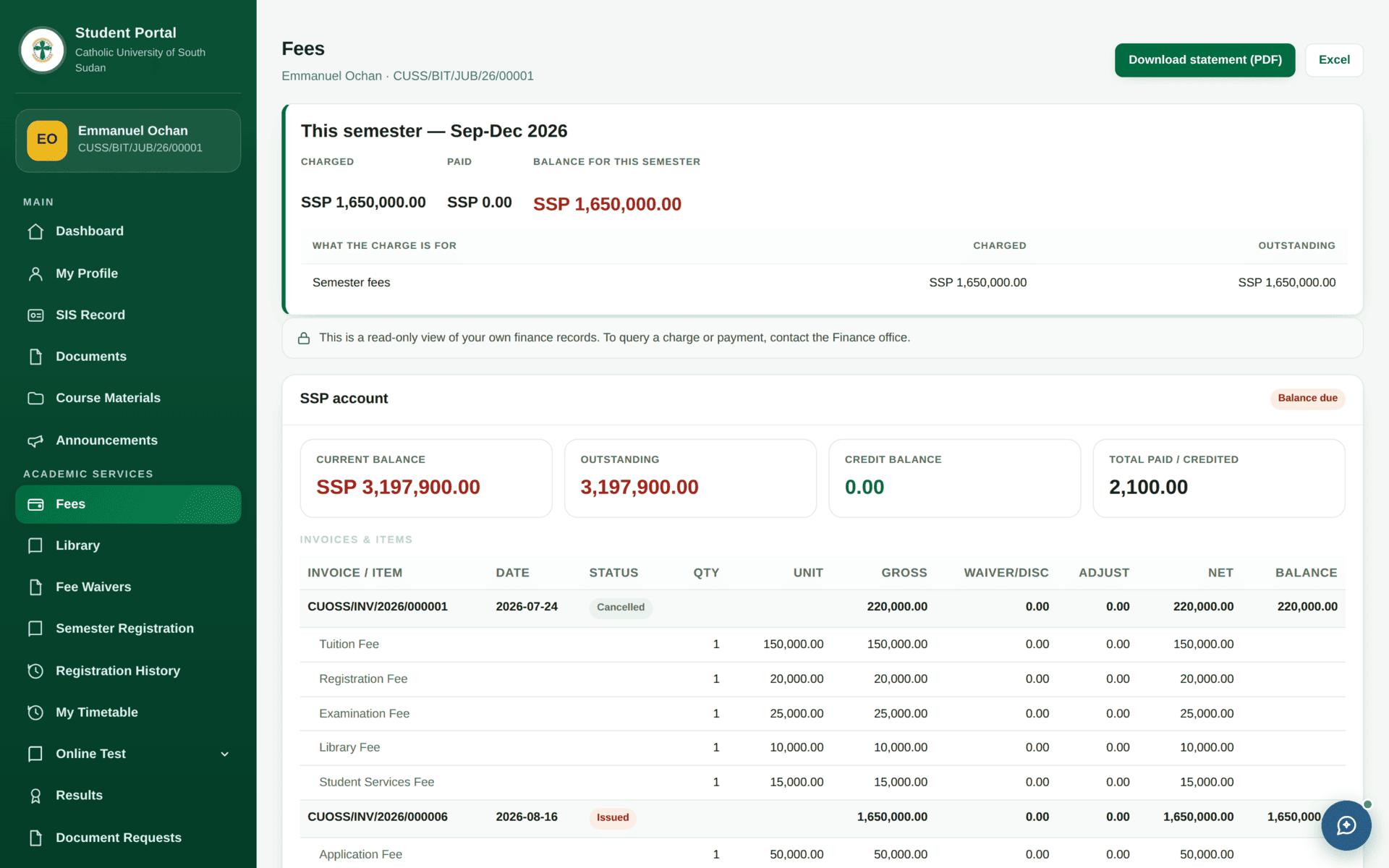
- This semester — charged, paid and the balance for the current term only. This is the number that matters for registering and for sitting examinations.
- The account — current balance, outstanding, credit balance and total paid across your whole time at the university. A credit balance means you have paid ahead.
- Invoices & items — every invoice, expanded into the items that make it up, with columns for gross, waiver or discount, adjustment, net and balance. An invoice marked Cancelled is not owed; one marked Issued is.
- Download statement (PDF) or Excel for a copy to take to the bank or to a sponsor.
The page says it: “This is a read-only view of your own finance records. To query a charge or payment, contact the Finance office.” Payments are recorded by a Cashier against evidence — see Cashier desk & treasury. A payment you made yesterday appears here once it has been posted, not instantly.
Registering for a semester
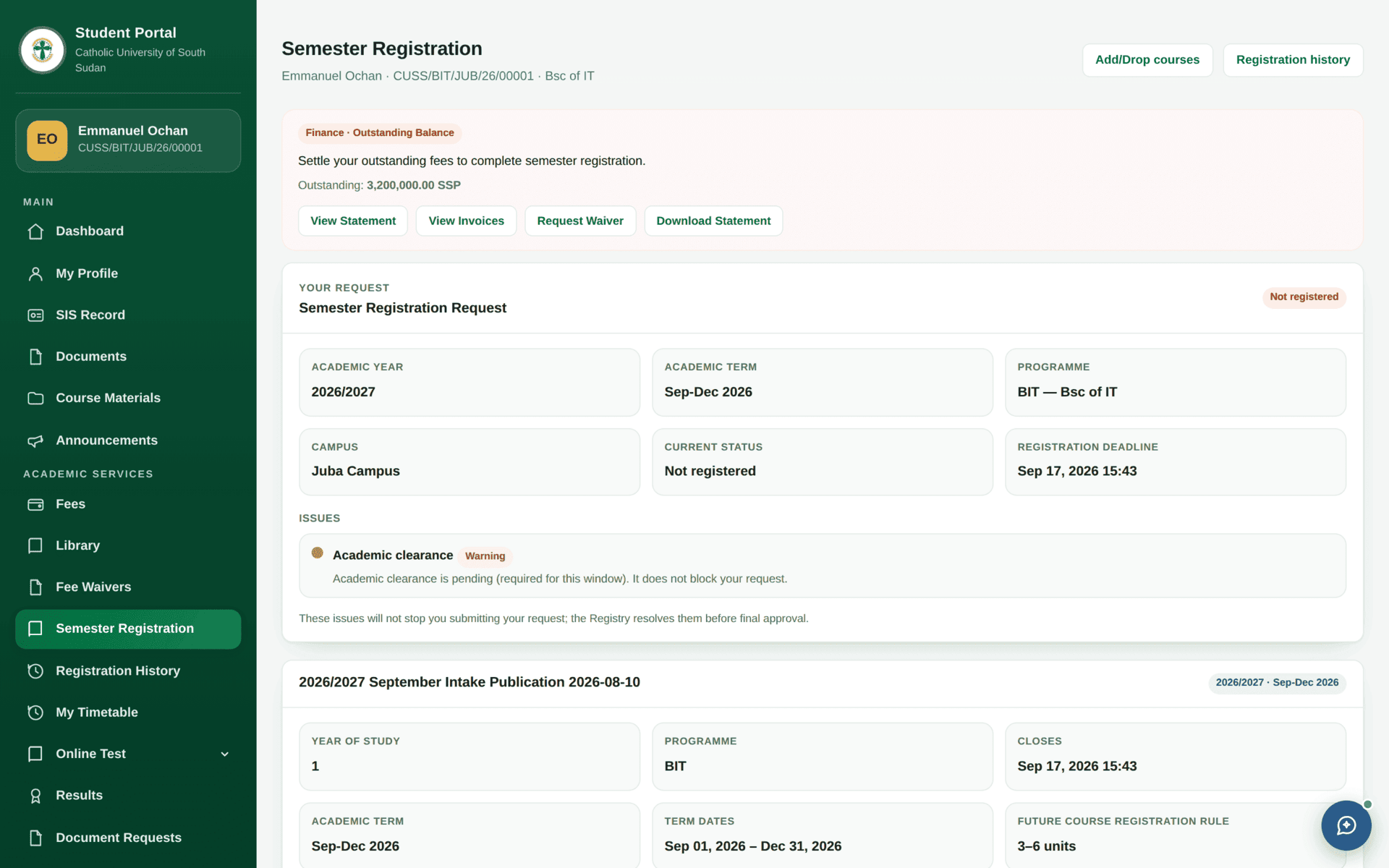
Registering for Semester One
| Before you start | Open Fees. If this semester's balance blocks registration under the clearance rules, pay or get a waiver first — registration will refuse otherwise |
| Open | Semester Registration in the sidebar |
| Check | The term named at the top is the one you mean, and the window is open |
| Choose courses | The list comes from your curriculum version and year. Core courses may already be ticked |
| Retaking a course? | It will not appear until Registry has authorised the retake. Ask first — see Semester registration |
| Submit | Your registration is Pending Academic Registry Verification until registry confirms it |
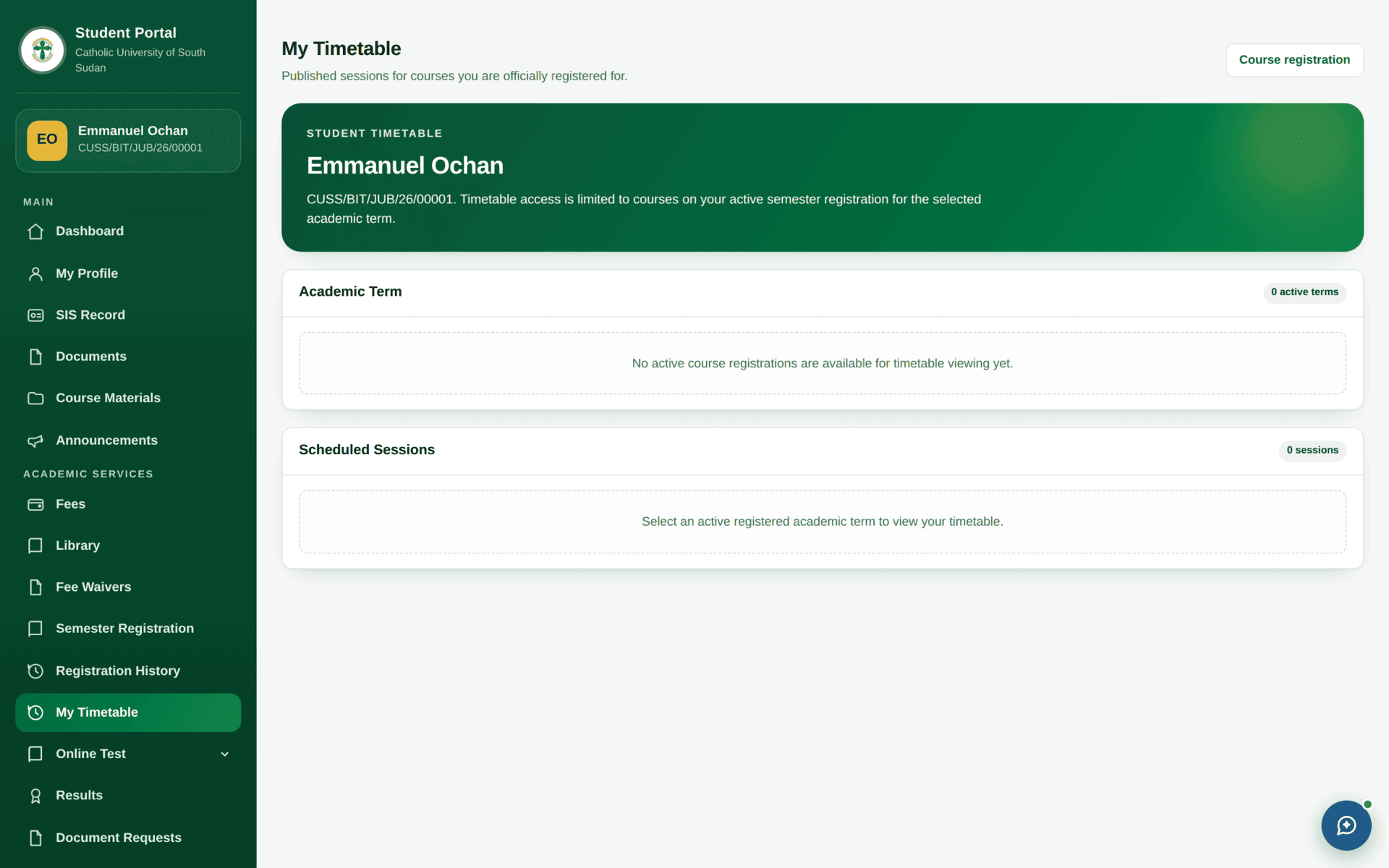
| Confirm it worked | Registration History shows the term; My Timetable fills in once the timetable is published |
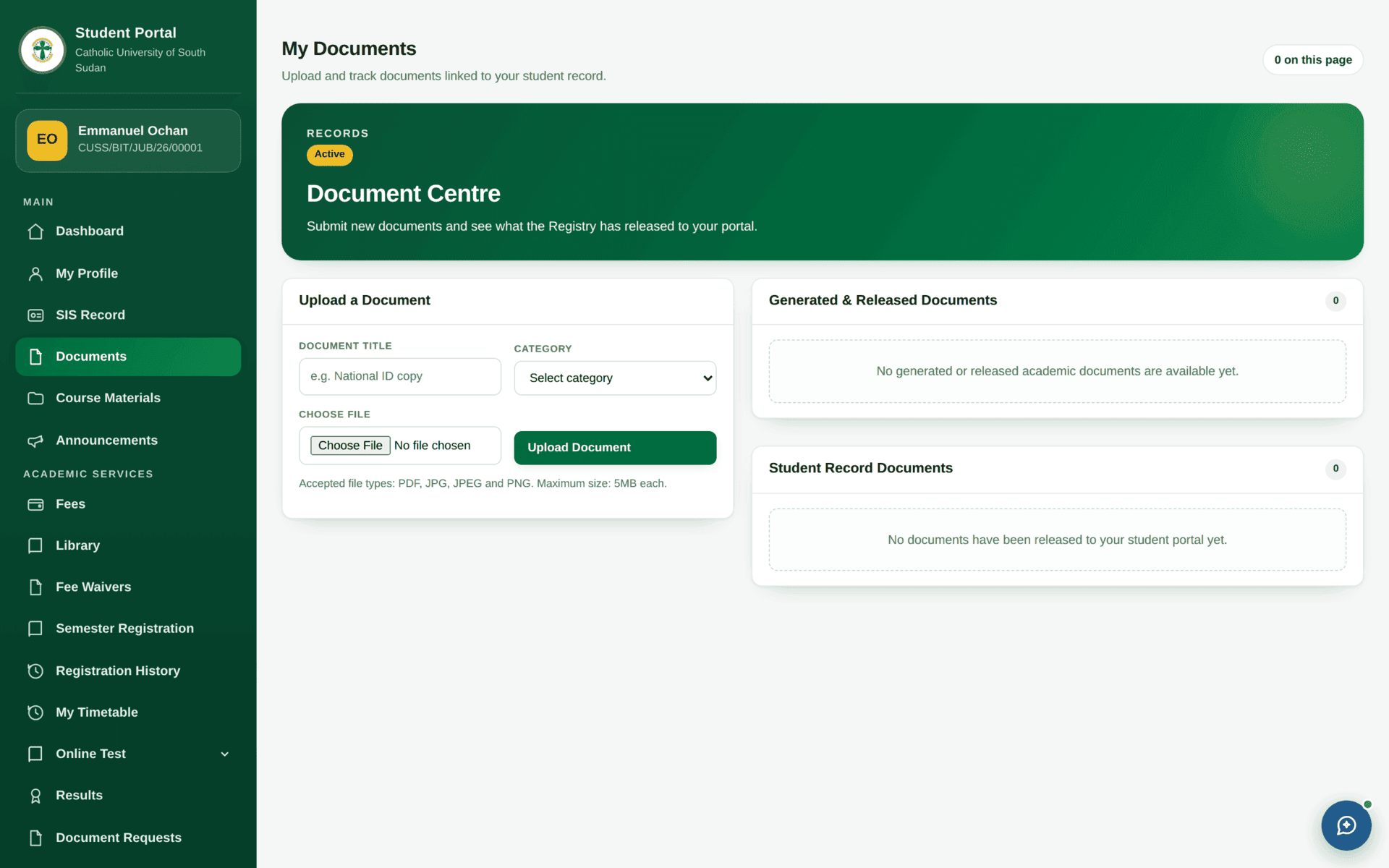
| Then | Download your registration slip from Documents |
Asking for something
The portal never edits the master register. Where a student needs something changed, the portal raises a request that lands in an office's queue. The dashboard's Pending Requests panel lists what you have asked for, and names the kinds available: profile, transfer, deferment, withdrawal, readmission and mode-change.
Common problems
| Problem | Cause | What to do |
|---|---|---|
| Your student number is refused at sign-in | The portal record has not been activated | Ask Registry to activate it. There is no self-service password reset |
| My Timetable is empty | The timetable is not published yet, or you are not registered | Check Registration History first |
| Results are blank after examinations | Marks are approved and then released separately | Wait for release; it is not a portal fault |
| Course Materials shows nothing | Materials are per registered course, and only what lecturers have published | Confirm you are registered for that course |
| A payment you made is not showing | It has not been posted by Finance yet | Keep your receipt and contact the Finance office |
| Registration refuses with a finance message | Clearance rules require a payment threshold | Pay, or apply under Fee Waivers |
| You cannot edit your name or programme | These are identity fields owned by Registry | Raise a request; it is deliberate that you cannot change them yourself |