Staff portal
The staff portal is where an employee handles their own affairs: leave, documents, training, helpdesk and the staff directory. Its dashboard works for everyone; several of its inner pages are gated by permissions that are not currently granted to anybody.
Your own employment record and requests.
Every employee
- A staff profile linked to your user account
- The staff.portal.access permission — held by every staffed role
Requests that reach HR, and your own documents.
Getting in
Go to staff.cuo-ss.sektechsoftsolutions.co.ke and sign in with your email address or
staff number, or use Staff Self-Service at the bottom of any admin sidebar.
One login covers both.
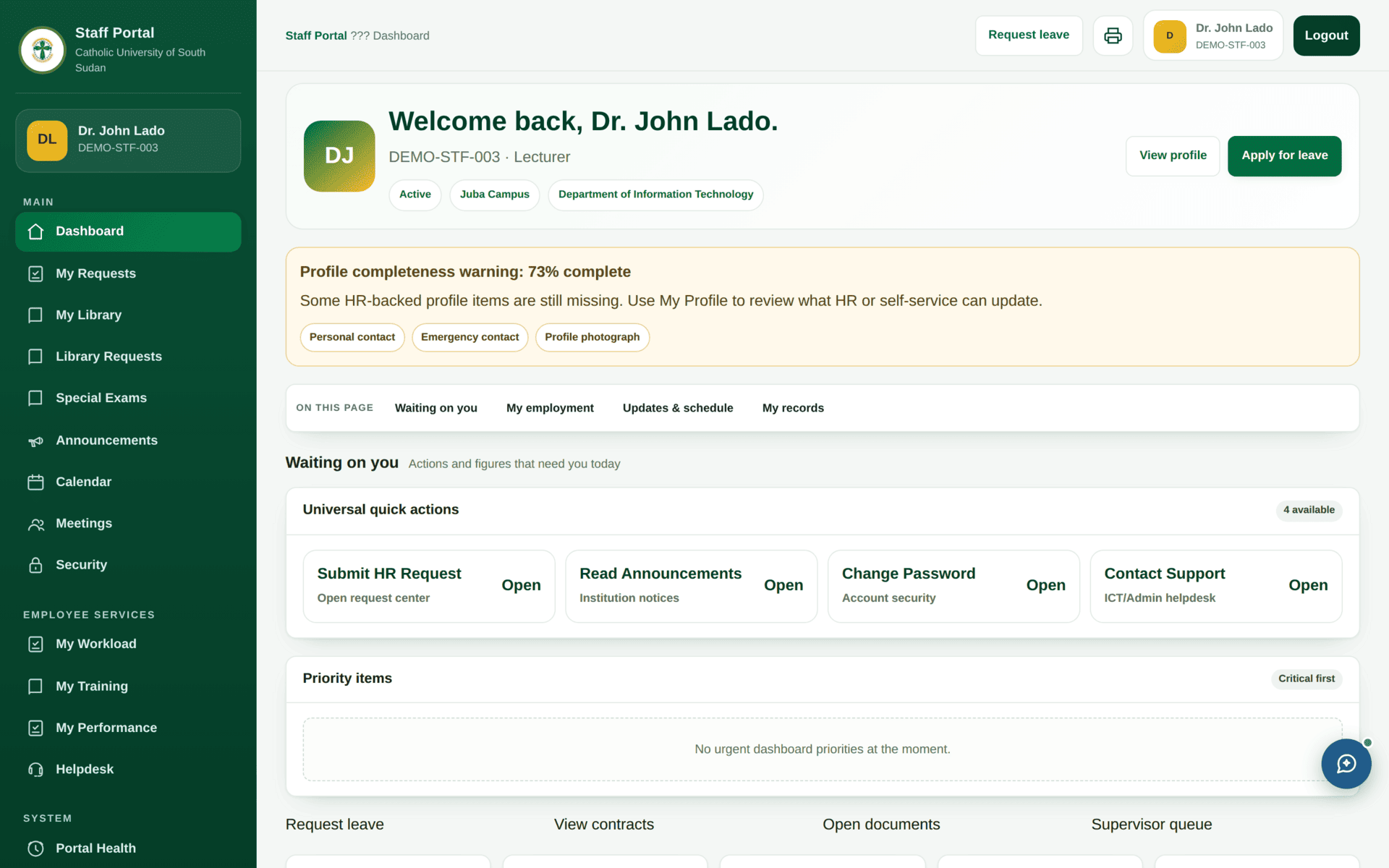
| Item | What it is for |
|---|---|
| My Requests | Everything you have asked HR for, and where each has reached |
| Leave | Apply for leave and see your balance |
| Documents | Your contract, letters and payslips |
| Employment | Your record as HR holds it — designation, department, contract |
| My Library / Library Requests | Your borrowing, and requests for new resources |
| Special Exams | Special and supplementary examination requests |
| Announcements, Calendar, Meetings | Institutional notices and your diary |
| My Workload, My Training, My Performance | Teaching load, training record, appraisal |
| Helpdesk | Raise an ICT or facilities ticket |
| Security | Your own sign-in activity — worth checking occasionally |
| Directory | Contact details for colleagues |
Which pages actually open
The staff portal is governed by fourteen permissions. Only three of them are currently attached
to any role: staff.portal.access (which lets you in),
staff_portal.submit_leave and staff_portal.submit_requests. The rest
— including staff_portal.view_leave, view_documents,
view_directory and view_approvals — are attached to
no role and no user at all.
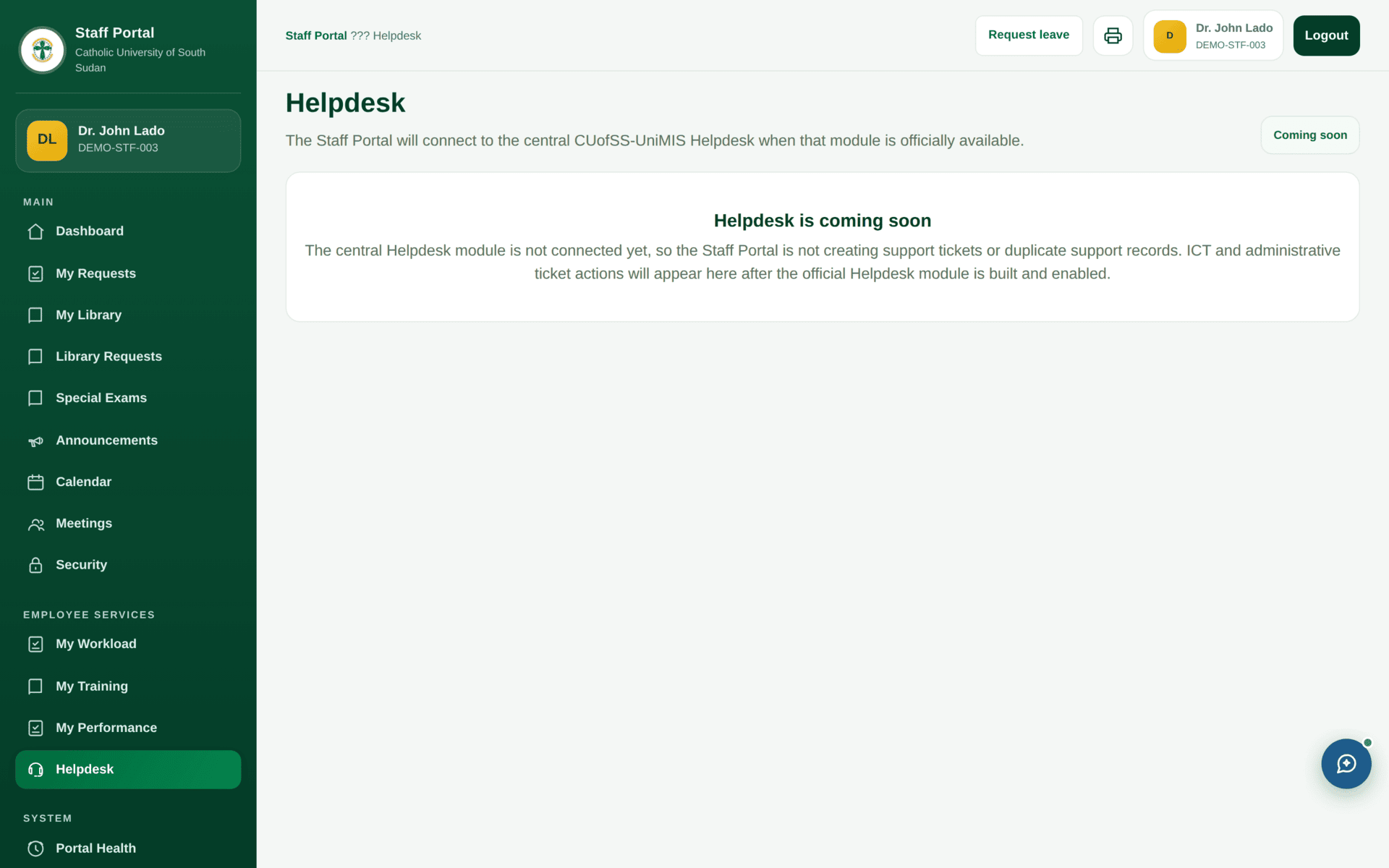
The practical effect: the dashboard and helpdesk open for everyone, and Leave, Documents, Employment, Directory and Approvals return not authorised for everybody — including a Super Admin. This is not a fault in your account, and requesting the permission for yourself will not help, because it is not granted to anyone.
| Page | Permission | Currently |
|---|---|---|
| Dashboard | staff.portal.access | Open to all staffed roles |
| Helpdesk | — | Open |
| Apply for leave | staff_portal.submit_leave | Granted to 23 roles |
| Submit a request | staff_portal.submit_requests | Granted to 23 roles |
| View leave | staff_portal.view_leave | Granted to nobody |
| View documents | staff_portal.view_documents | Granted to nobody |
| Employment record | staff_portal.view_profile | Granted to nobody |
| Directory | staff_portal.view_directory | Granted to nobody |
| Approvals | staff_portal.view_approvals | Granted to nobody |
Use HR directly: leave through HR & staff, documents and
employment details from your HR officer. If your institution wants the portal fully open, this is
a single configuration change — attach the staff_portal.view_* permissions to
the roles that should hold them, in Roles & Permissions.
The helpdesk
Raising a ticket that gets fixed quickly
| Say what you did | “Signed in to the admin portal as an Academic Registry Staff account” |
| Say where | The menu path, not just the page name: Students & Registry›Retake Authorizations |
| Say what happened | The exact message. If it named a permission, quote it: semester-registration.retake-authorize |
| Say what you expected | “To see the retake queue for the September intake” |
| Say when | The date and rough time — ICT can find it in the audit log |
| Do not attach | Screenshots containing other people's personal data |
If the portal refuses
| Symptom | Cause | Fix |
|---|---|---|
| Leave, Documents, Employment or Directory refuse | Those permissions are granted to nobody | Not your account. Use HR directly, and see the table above |
| You cannot sign in at all | No staff profile linked to your user account | HR links the profile and grants staff.portal.access |
| The dashboard shows the wrong staff number | Two staff profiles for one person | HR — merge them before anything else is done |
| Your workload looks wrong | It is computed from published timetable periods | Timetable |
| You lost access after a contract renewal | The old contract expired before the new one started | HR — Contract Renewals |