Chat
The two round buttons in the bottom-right corner of every admin screen are internal chat. It reaches colleagues inside the system, so a question about a record can be asked without leaving the record.
Asking a colleague something without leaving the screen you are on.
All signed-in staff
- A signed-in account
A conversation that is moderated and reportable, not a private side channel.
What it is
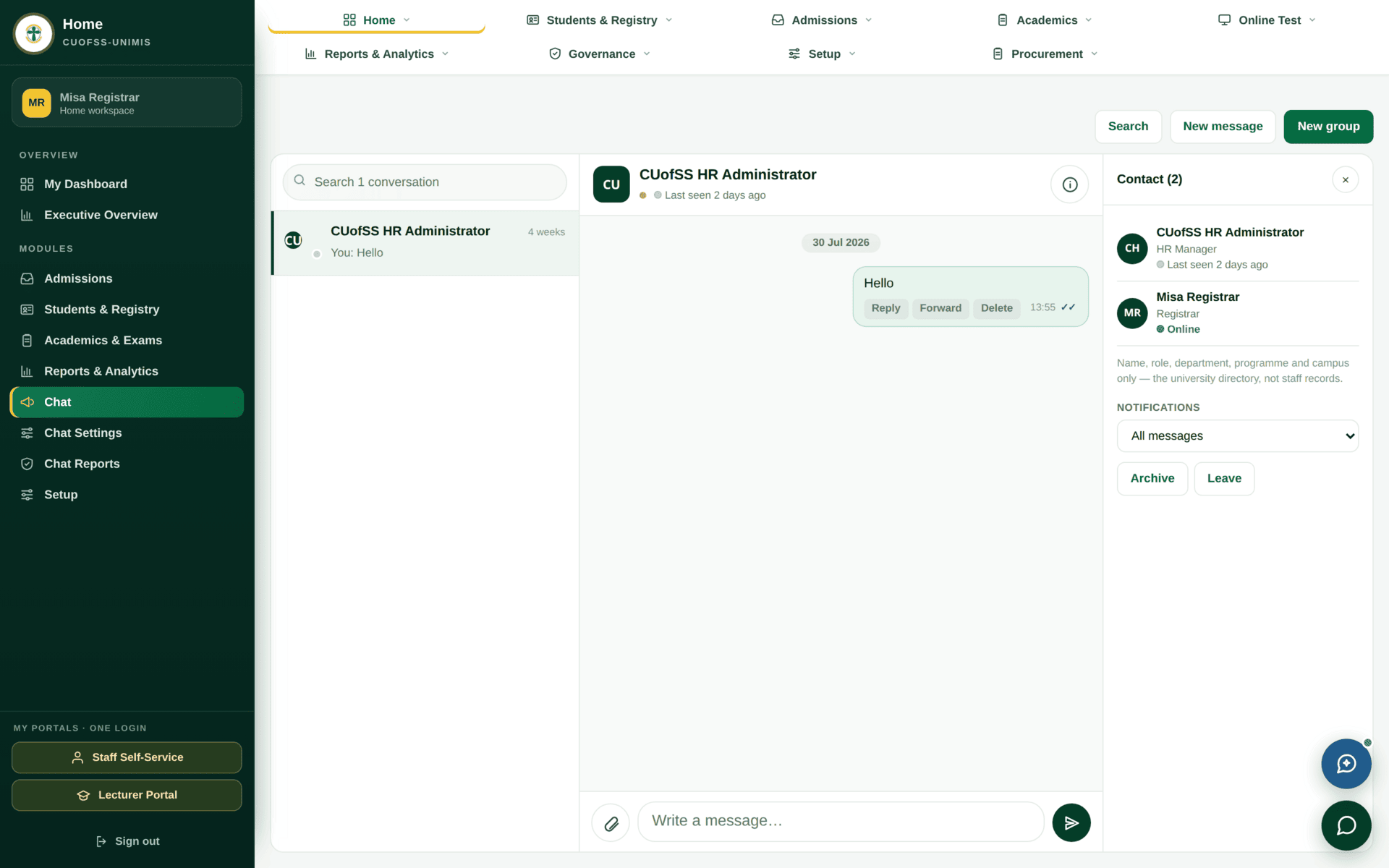
- It follows you across portals, because it is part of the same signed-in session.
- It is internal. It does not reach students, applicants or the public — for those, use Communication.
- It is moderated and reportable. Chat Reports and
Chat Settings exist under the Home module for users who hold
chat.moderateandchat.settings.manage.
Chat is inside the university's system and is subject to moderation and reporting. That makes it a good place to ask “whose turn is it on case 1206?” and a poor place for anything you would not put in an email. It is also not the place for a decision that belongs on a record — approvals, rejections and reasons belong on the record itself, where the next person will actually find them.
Using it well
Two good uses and one bad one
| Good | “Application 1206 is showing HOD review as the current step — are you able to look at it today?” Specific, names the record, asks for an action |
| Good | “The exams dashboard shows zero for Sep-Dec — am I reading the term filter wrong?” A quick question that saves a ticket |
| Bad | “Approved, go ahead.” A decision that exists only in chat is invisible to everyone who reads the record later. Record it on the record |
| Bad | Pasting a student's personal or financial details to ask a general question. Quote the reference, not the person |
Chat is for coordination. Decisions go on the record. If a message would change what someone else does with a record, put it on that record and use chat only to say you have done so.